Insert the microSD Card
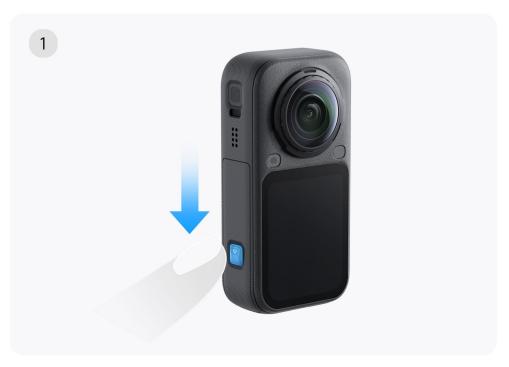
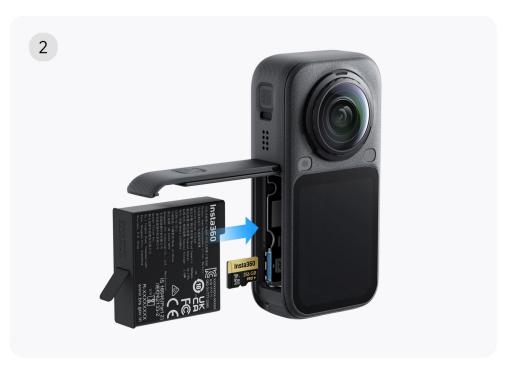
- Press the lock buckle on the battery cover and slide it in the direction indicated by the arrow to open the cover.
- The microSD card slot is located next to the battery compartment. Orient the microSD card so that the metal contacts face the slot, then insert it in the correct direction.
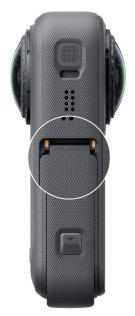
- Close the battery cover and slide it back to lock it in place. Ensure that the orange indication mark near the hinge is completely covered and no longer visible to guarantee proper waterproofing performance.
Note: X6 features 47 GB of built-in storage (64 GB total), allowing for recording without a microSD card. For more storage management operations, please refer to the "File Storage" section.

Online Chat
Office Hours: 24/7
Start Chat