Live Streaming
If you're using an Insta360 X5, X4, X4 Air, X3, X3, ONE RS (with 360 lens), ONE R (with 360 lens) or ONE X, you can connect it to the Insta360 app and utilize live streaming.
*Please update the camera firmware and the Insta360 app to the latest version.
The Insta360 app supports live streaming to the following platforms:
|
Kwai |
Facebook |
YouTube |
RTMP |
| Reframe Live |
✓ |
✓ |
✓ |
✓ |
| 360 Live |
✓ |
✓ |
✓ |
✓ |
Notes:
- For the following models, there is a 30-minute live stream time limit: ONE RS (with 360 lens) or ONE R (with 360 lens).
Steps
- Connect your phone to the Insta360 app.
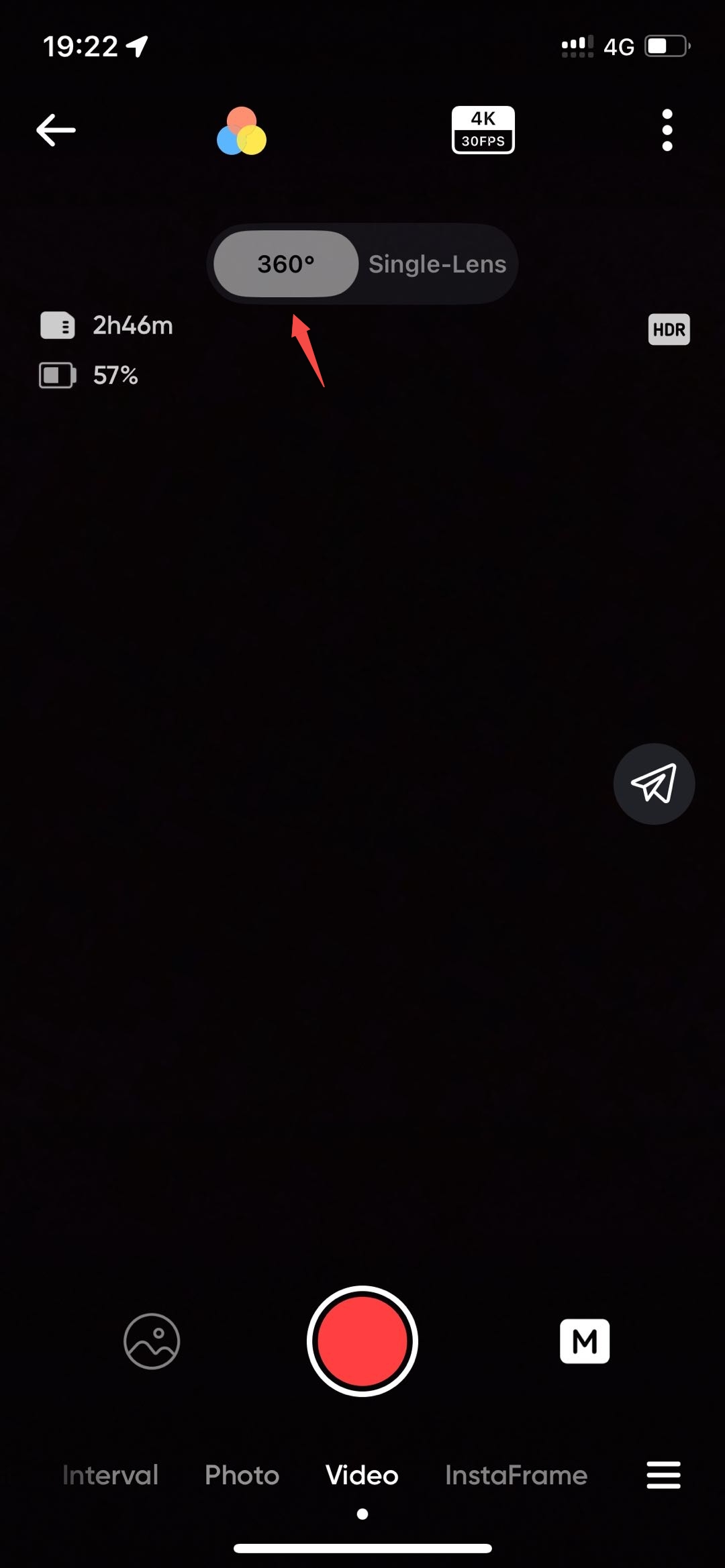
- Tap the "Camera" icon to enter the shooting preview interface.

- Ensure the camera is in 360 Mode.
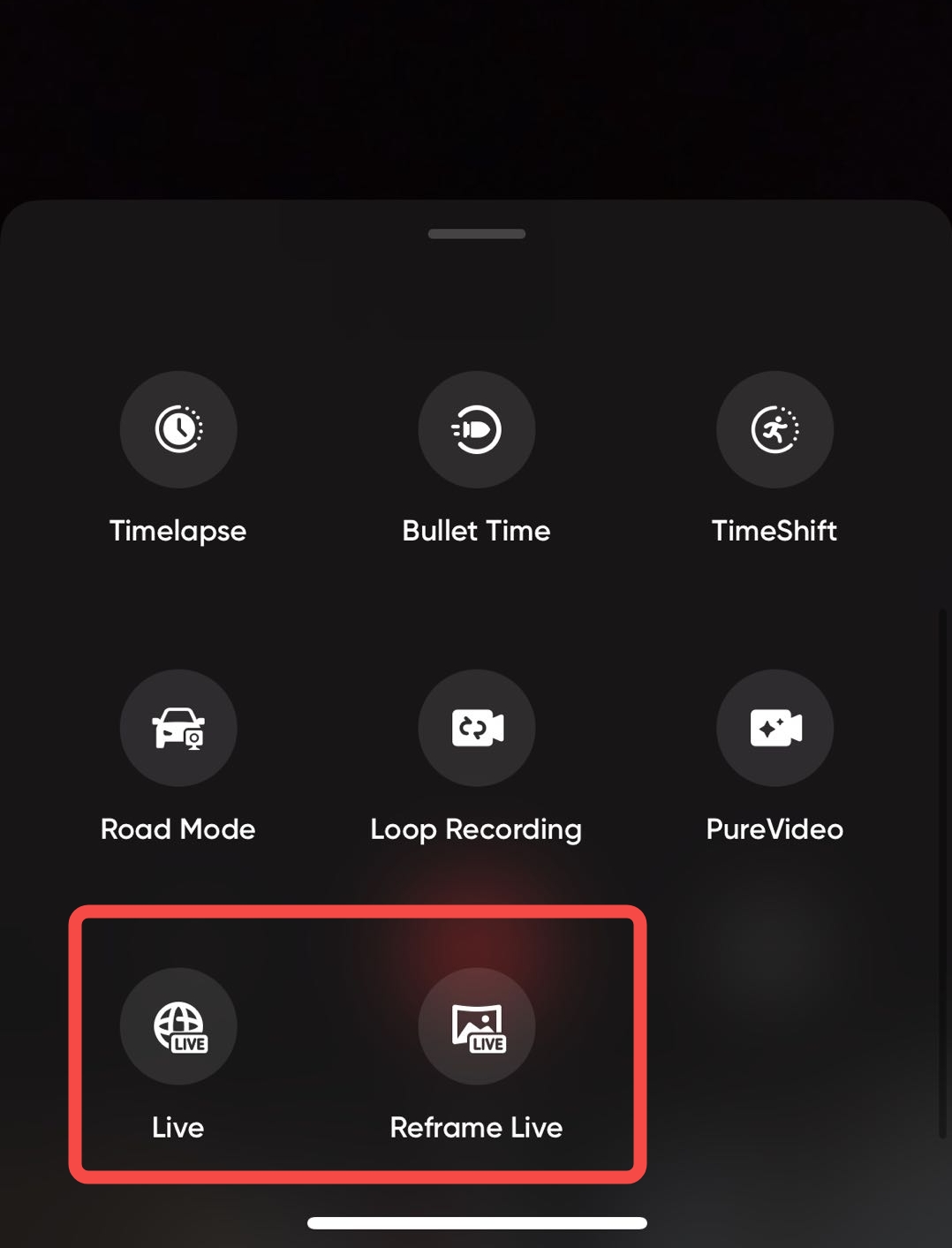
- Switch the shooting mode to "Live" or "Reframe Live".
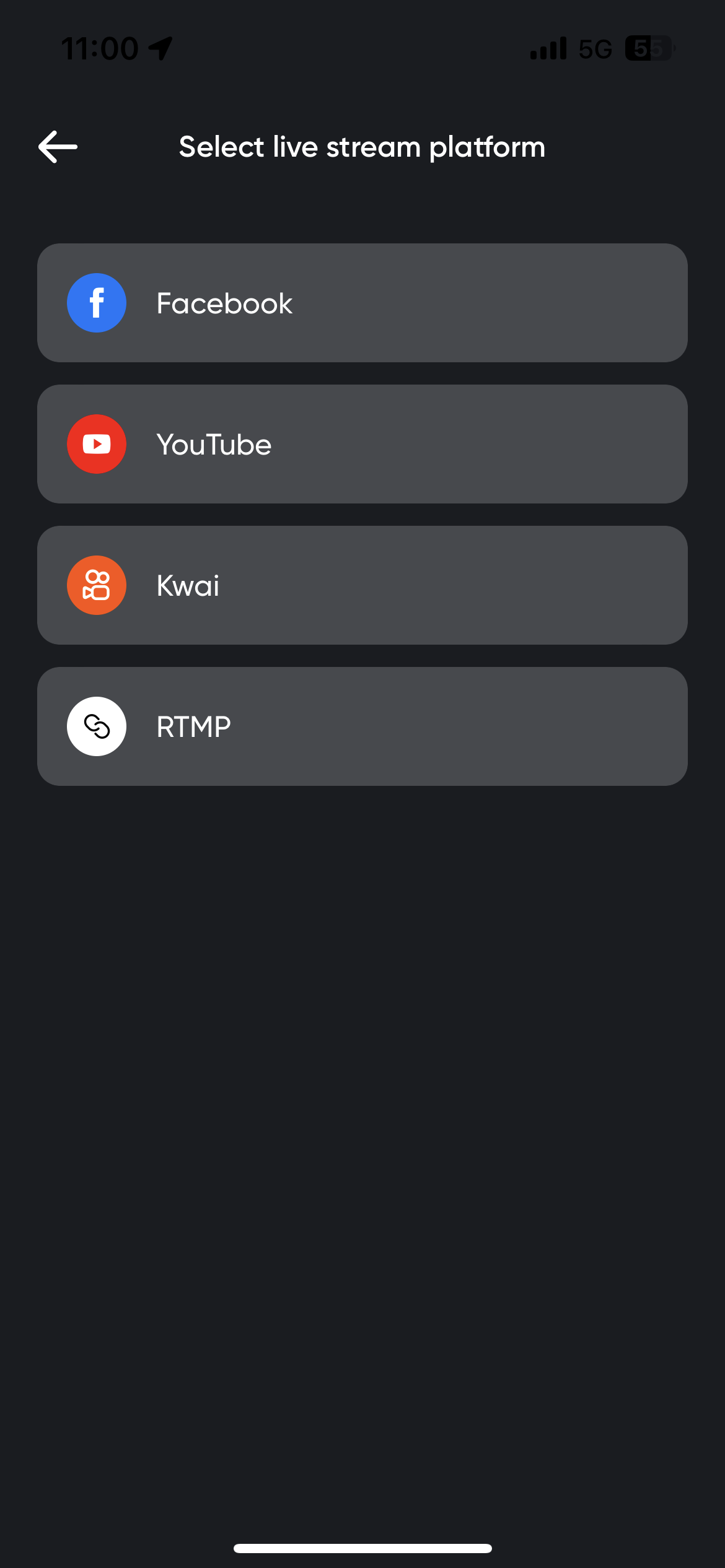
- Select the live stream platform you wish to use.
- Apply for the account authorization of the corresponding live stream platform.
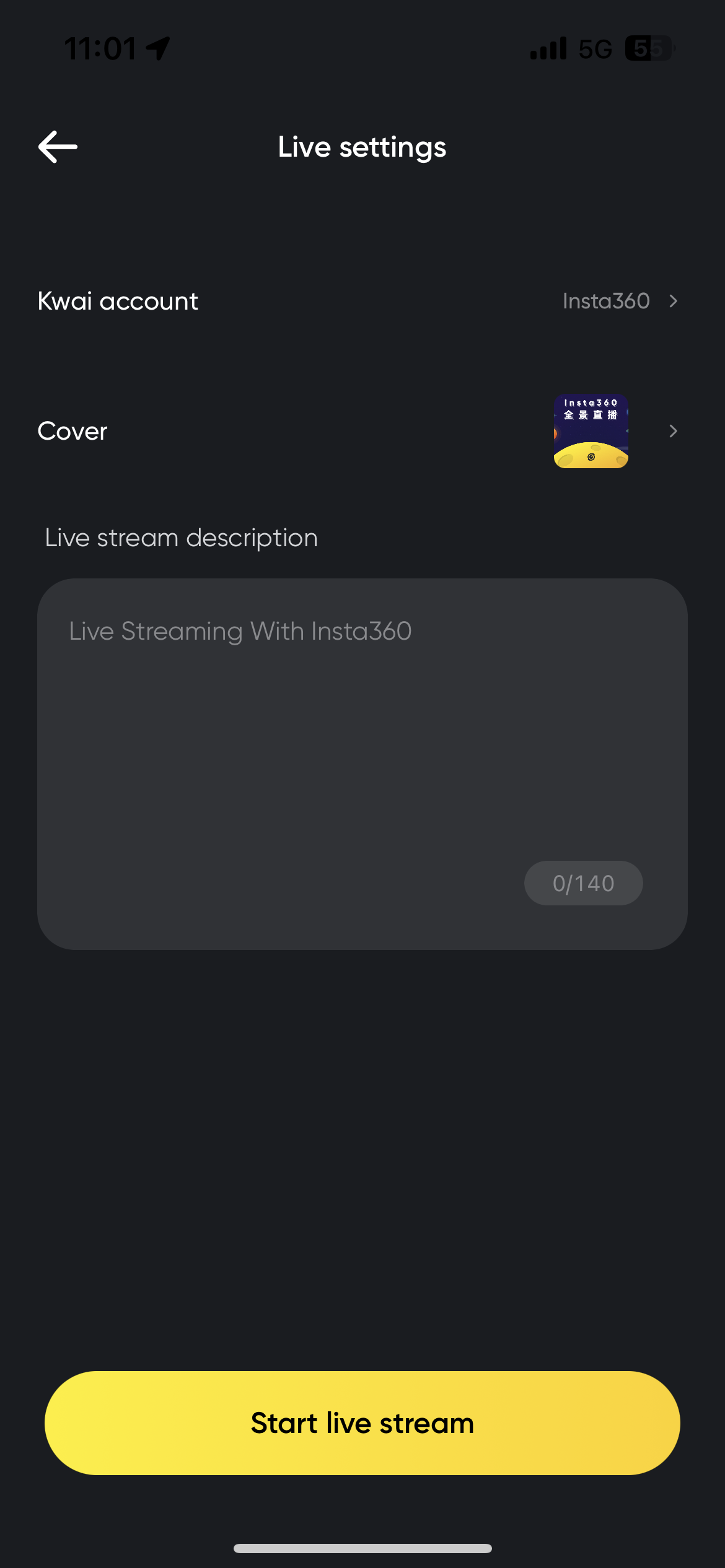
- After completing the account authorization, tap the shutter button and start livestreaming. During the live stream, please keep the app running in the foreground.
- To stop live streaming, tap the shutter button again.


.svg)

