Screen Display
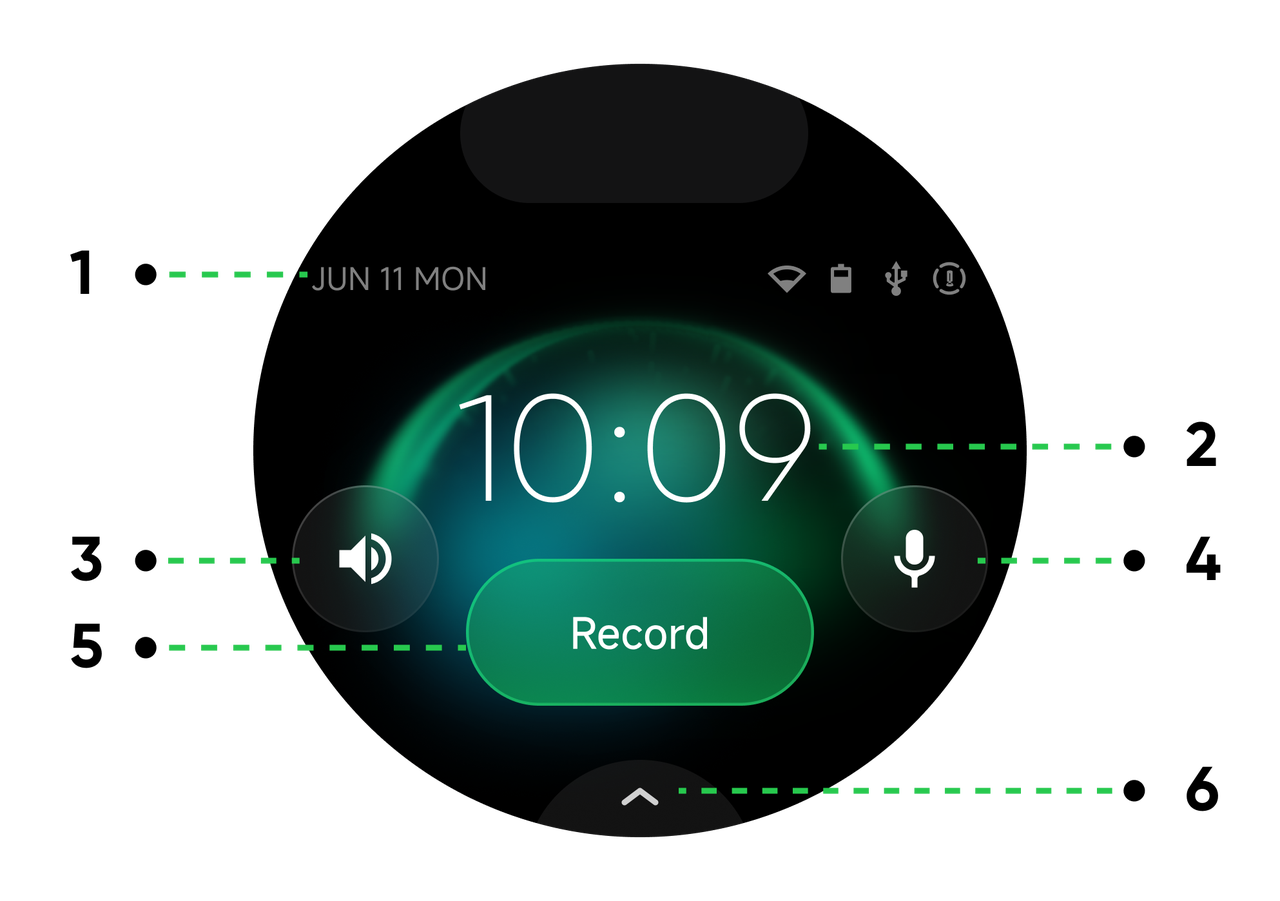
Main Screen:
- Status Bar: Displays date, Wi-Fi, battery level, Bluetooth, pickup pattern, and other relevant information.
- Time: Shows the local time of the device.
- Speaker: Adjust speaker volume or turn the speaker on/off.
- Microphone: Turns the microphone on or off.
- Record Button: Tap to start audio recording.
- More Functions: Tap to enter the secondary screen with wider configuration options.
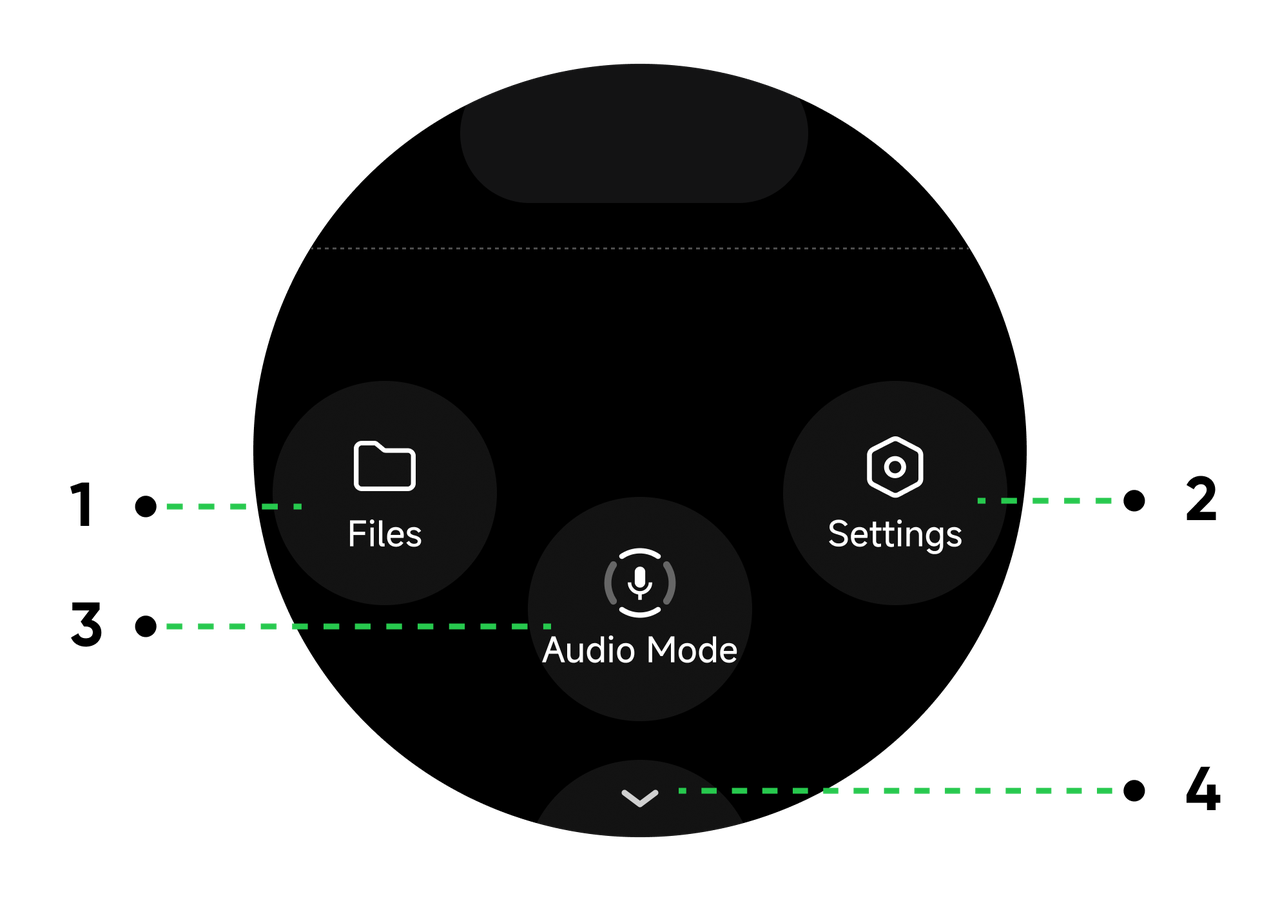
Secondary Screen:
- Files: View all recorded audio files.
- Settings: Manage AI features, network, password, USB mode, device height, language, and more.
- Audio Mode: Choose whether to enable noise reduction, or select different pickup patterns (Omnidirectional, Cardioid, Supercardioid, Figure-8, or Stereo).
- Back Button: Tap to return to the main screen.
With Link 2 Connected:
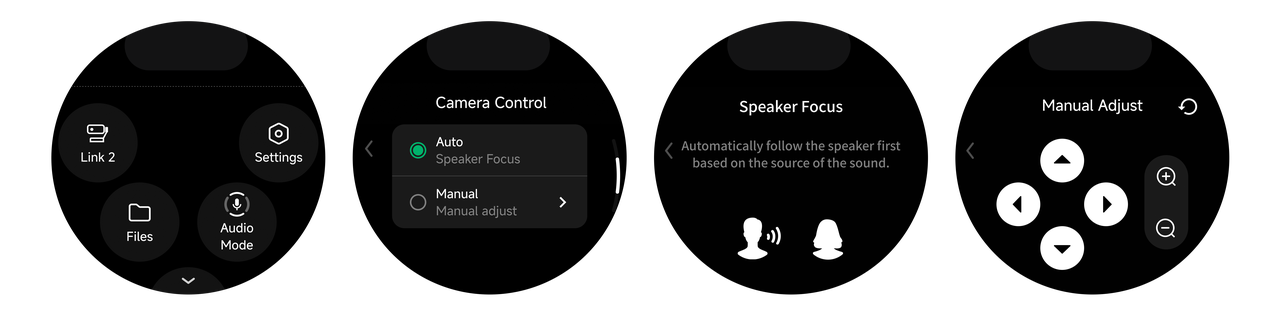
Once Link 2 is connected, a Link 2 icon will appear on the secondary screen. Tap it to select the camera control mode:
- Speaker Focus: Automatically follows a speaker based on source of sound.
- Manual Adjust: Manually adjust camera angle and zoom.


