Online Chat
Office Hours: 24/7
Start Chat


We might not have figured out real-life time travel yet, but with a few sneaky editing tricks you can make it look like you’re turning back time. Turn your camera into a time machine with this supernatural effect!
Gear used:Insta 360 ONEX/ONE + Invisible Selfie Stick
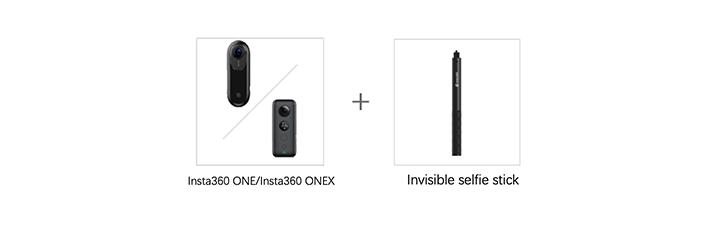
Steps:
Step 1: The Prep
Mount your ONE X onto the Invisible Selfie Stick.
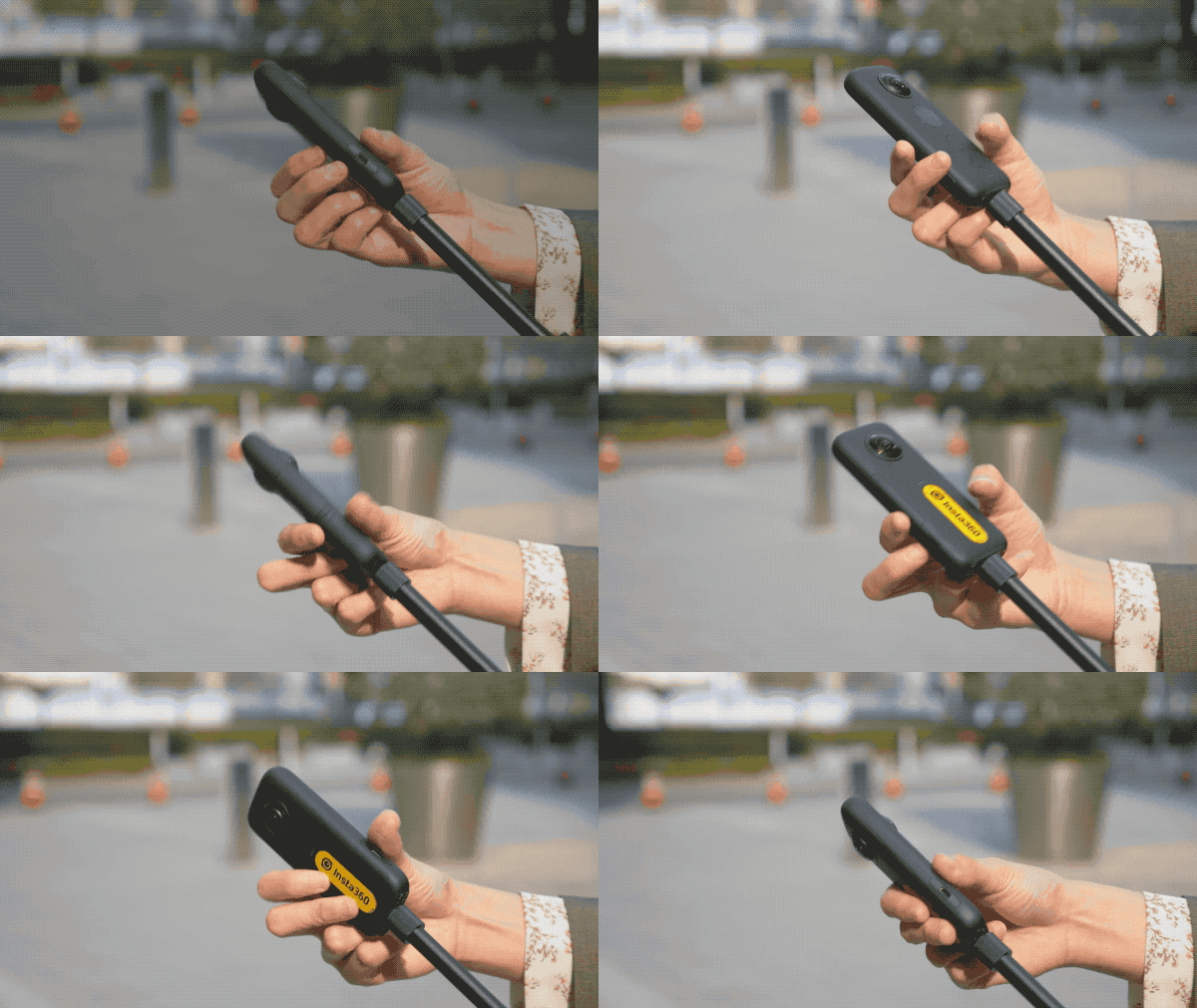
Extend the Invisible Selfie Stick to about 1meter long.

Step 2: The Shot
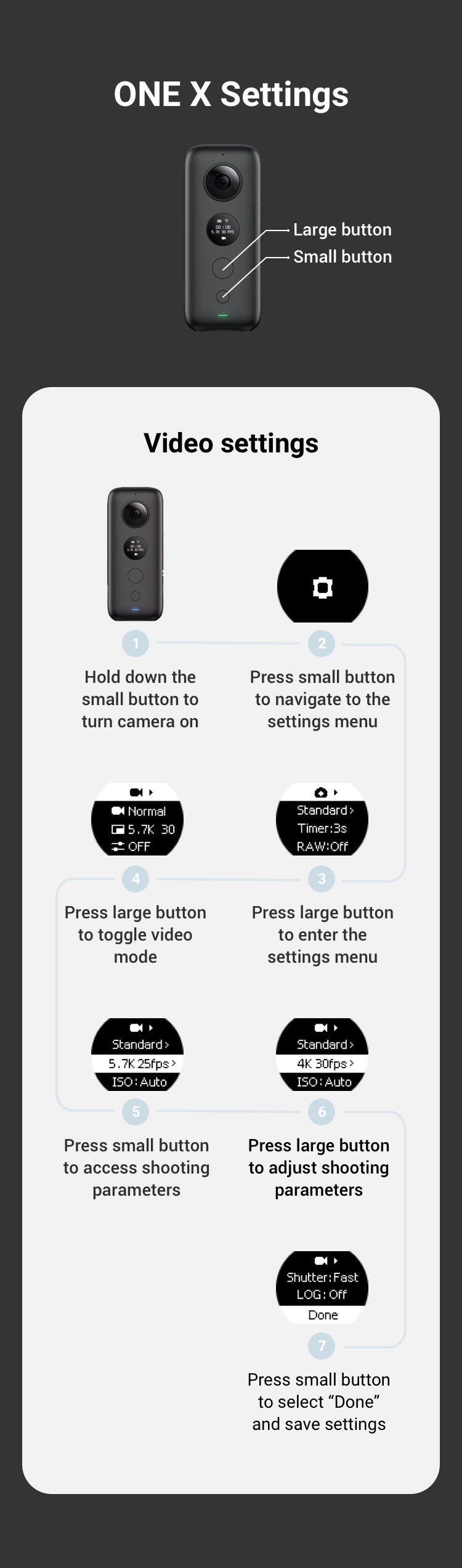
Long press the small button to turn on your ONE X and press the small button again to enter camera settings. Press the large button to select video mode and set parameters to 5.7K@30FPS.
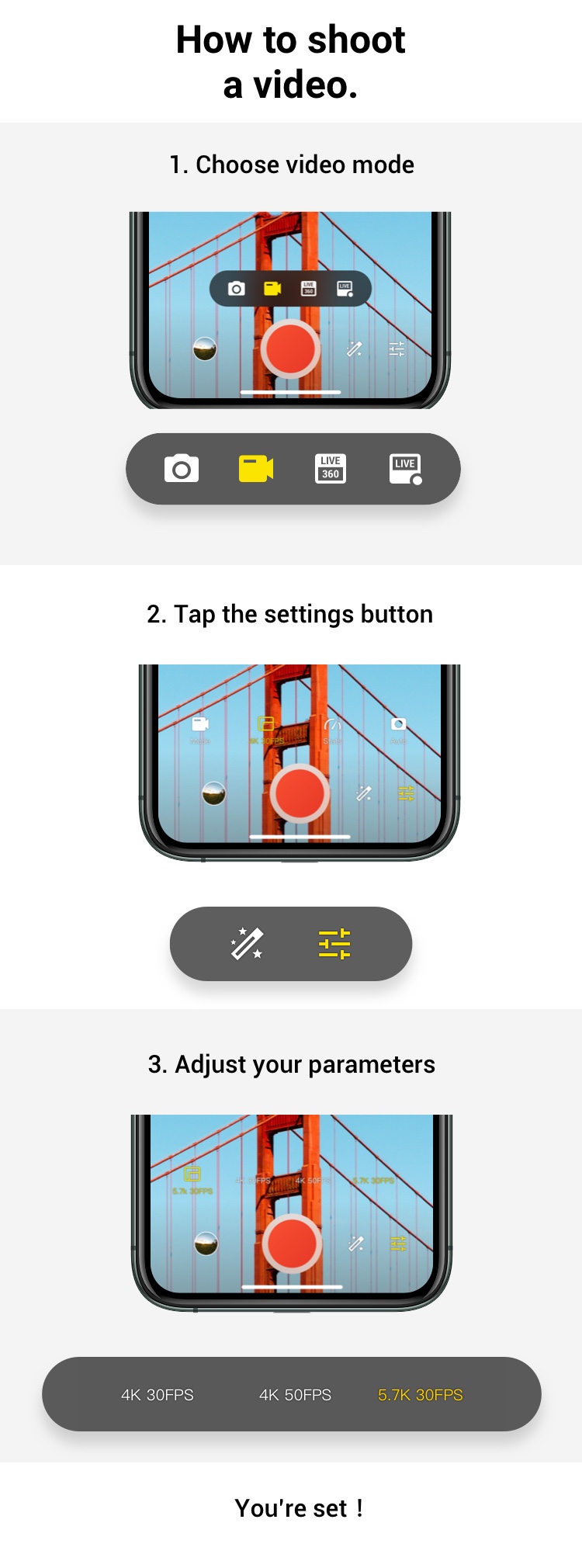
Method 2: Shoot via mobile.
Connect your ONE X to your phone((How do I connect?)select video mode. Tap settings and set your parameters. We recommend shooting at 5.7K@30FPS for this shot.
(2)Press the large button to start shooting.
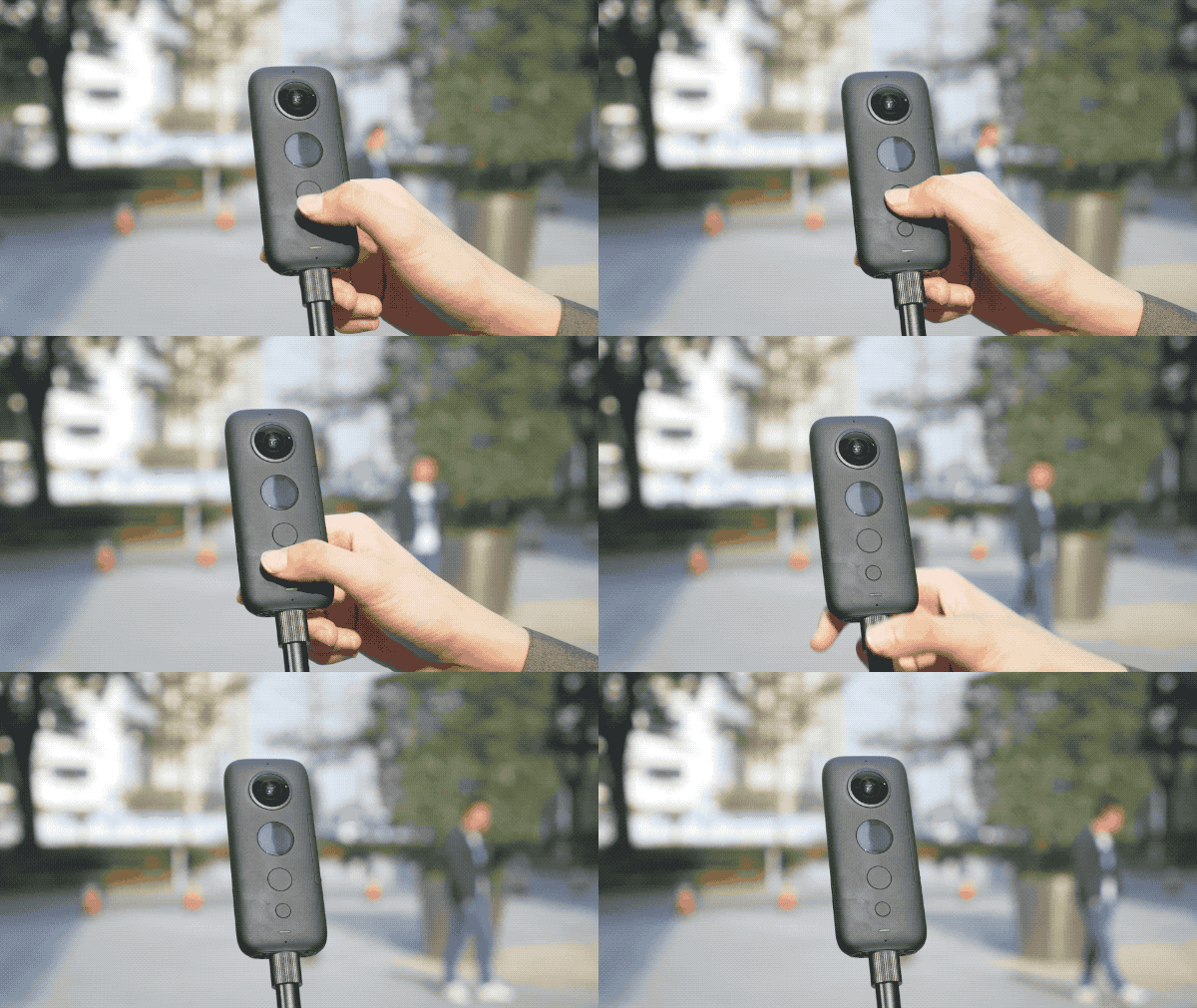
Step 3: The Walk
(1)Choose a place with a dense crowd for the best effect;
(2)Hold the camera in front of your body and walk backwards in the direction of the crowd.
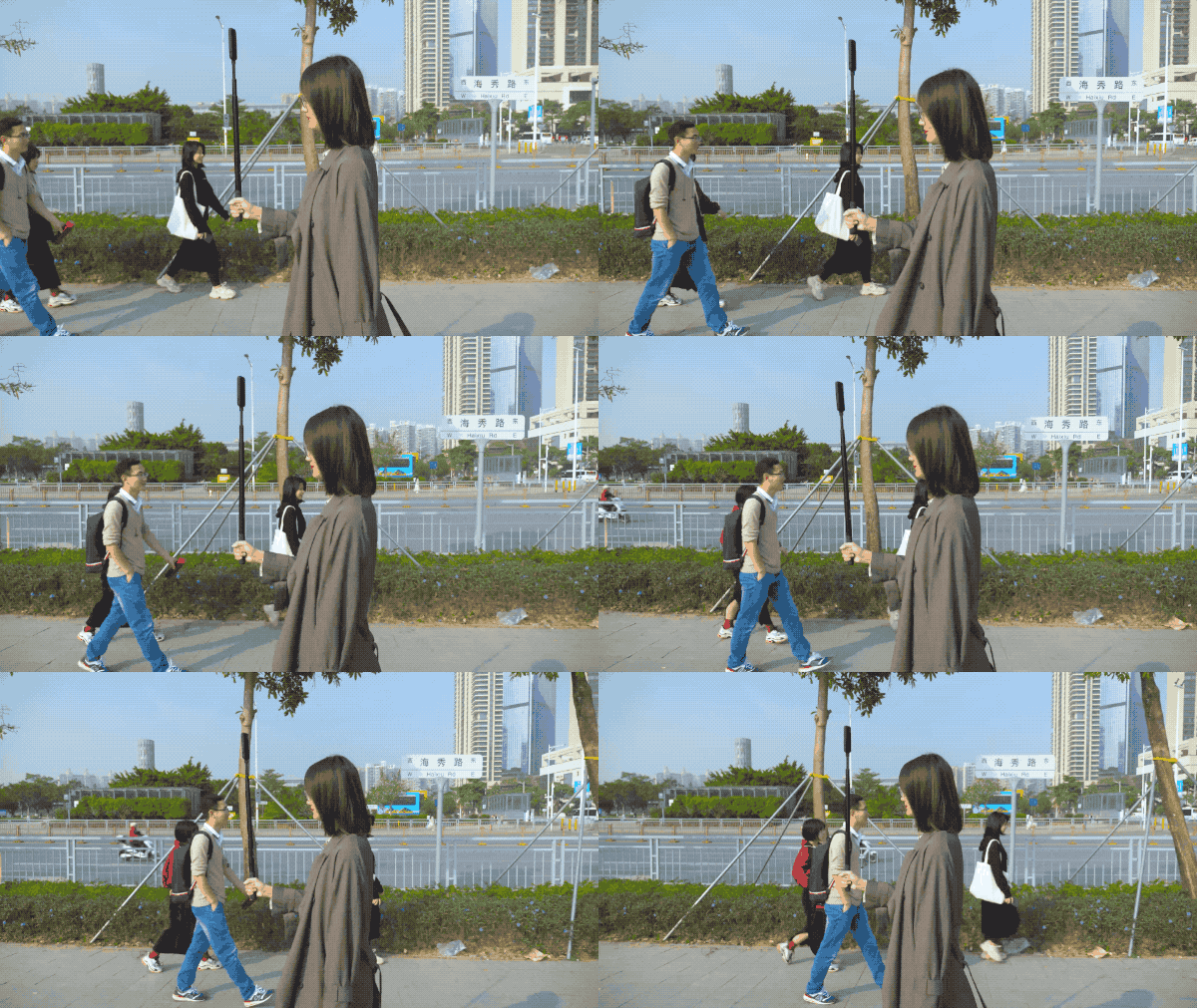
Step 4: The Edit
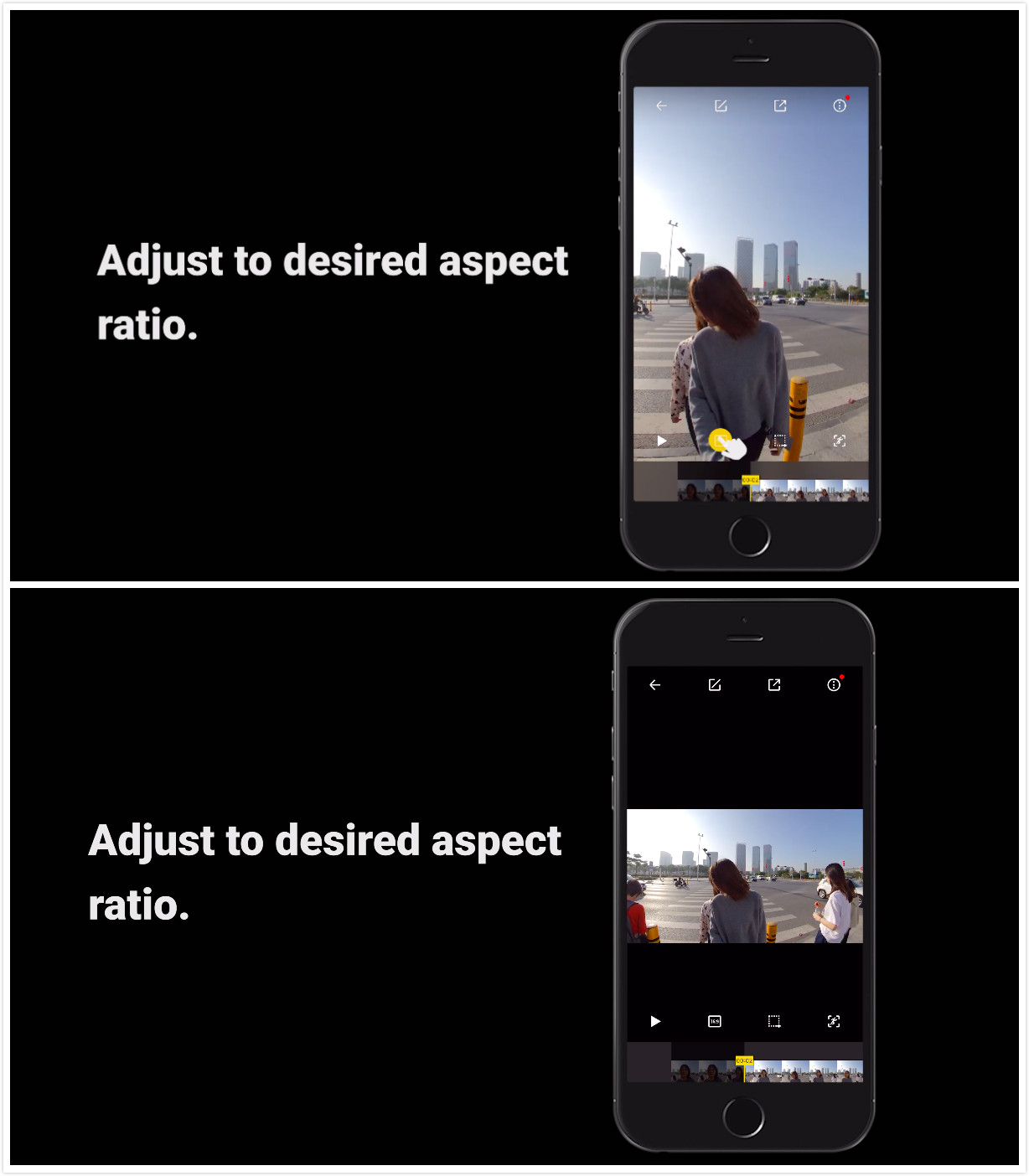
(1)After downloading your content, adjust to desired aspect ratio.
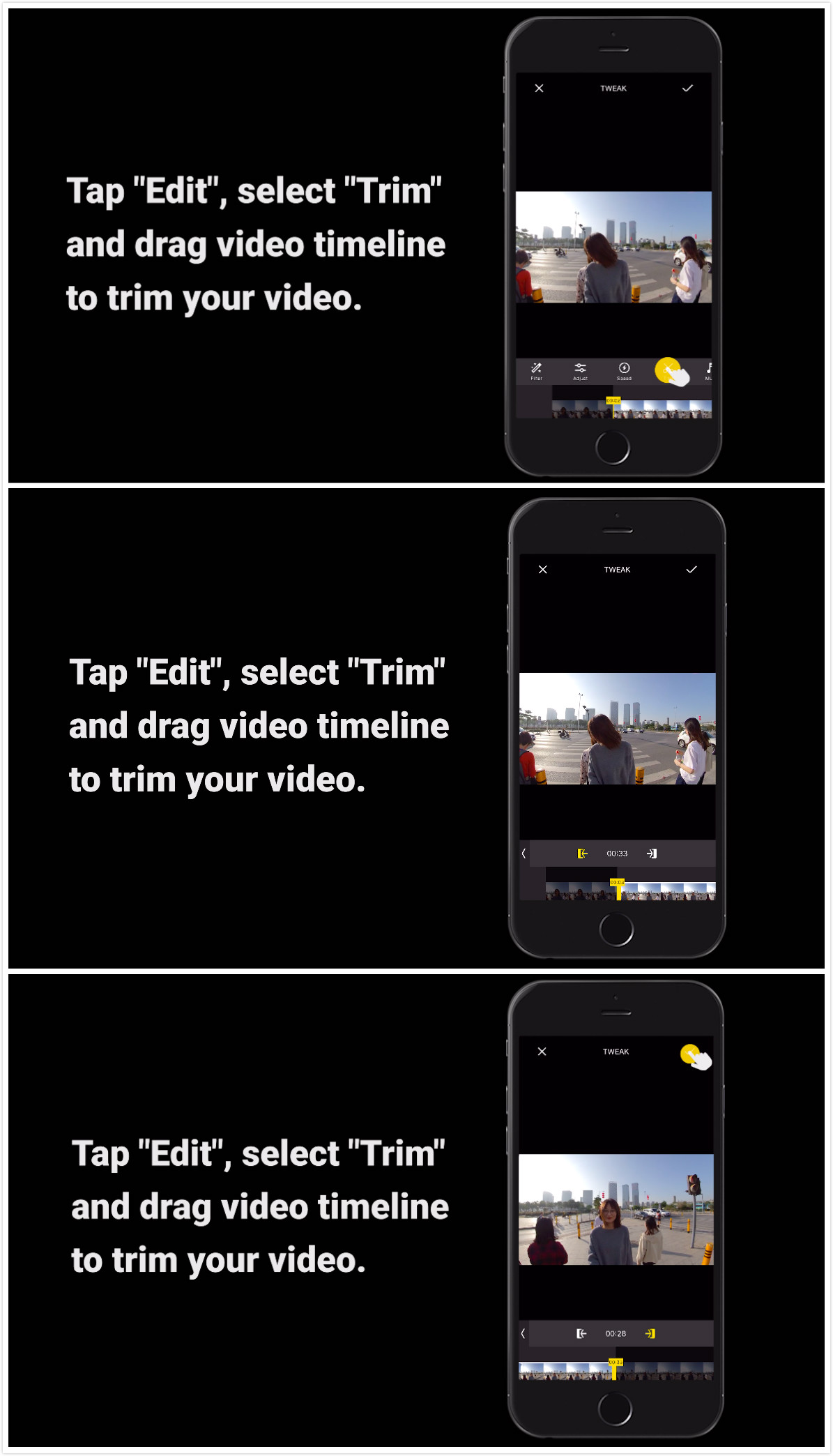
(2)Tap "Edit", select "Trim" and drag video timeline to cut your video down to the key parts.
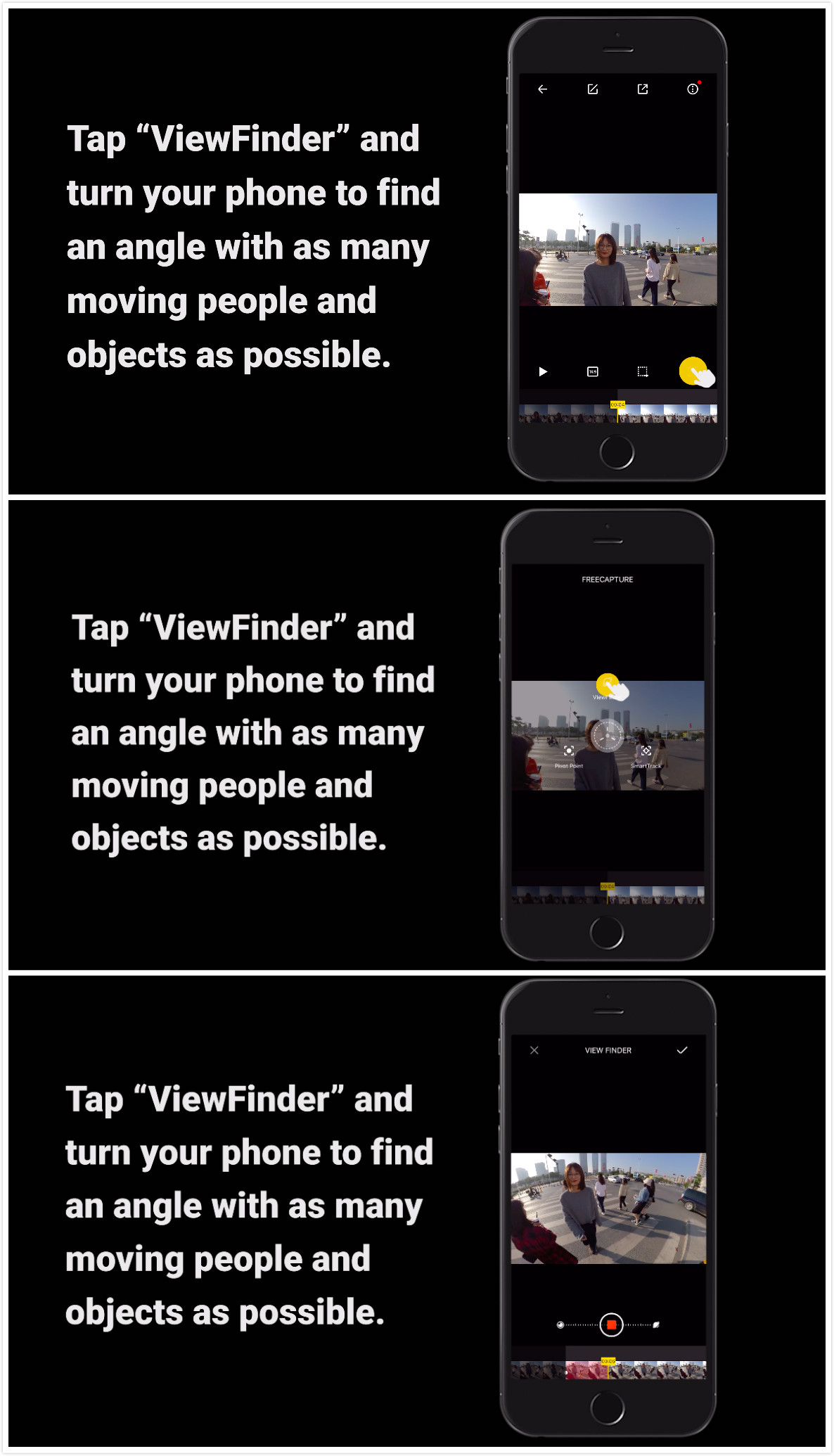
(3) Tap “ViewFinder” and turn your phone to find an angle with as many moving people and objects as possible.
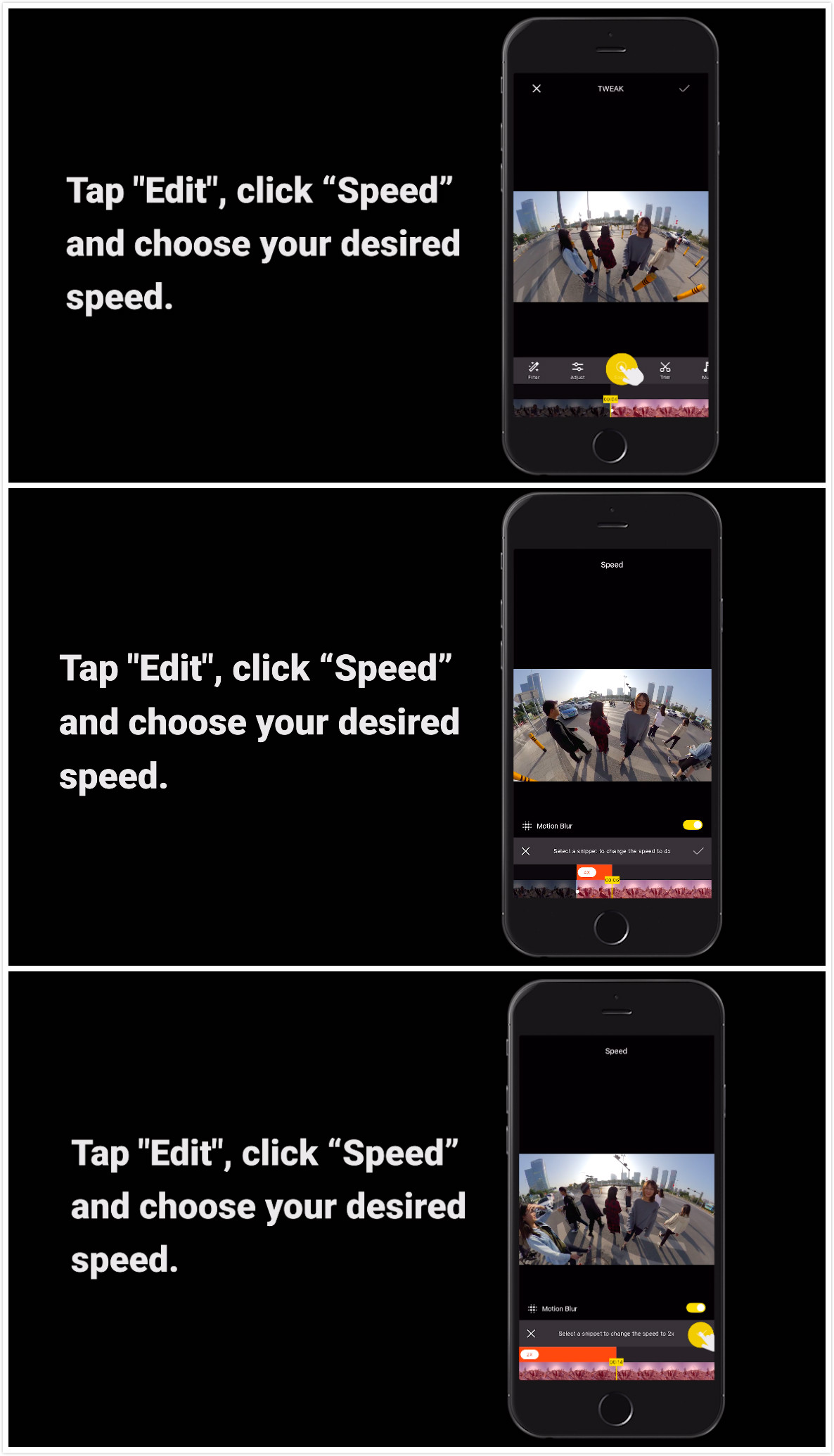
(4)Tap "Edit", click “Speed” and choose your desired speed. Switch between high speeds and slow-mo for a cool effect.
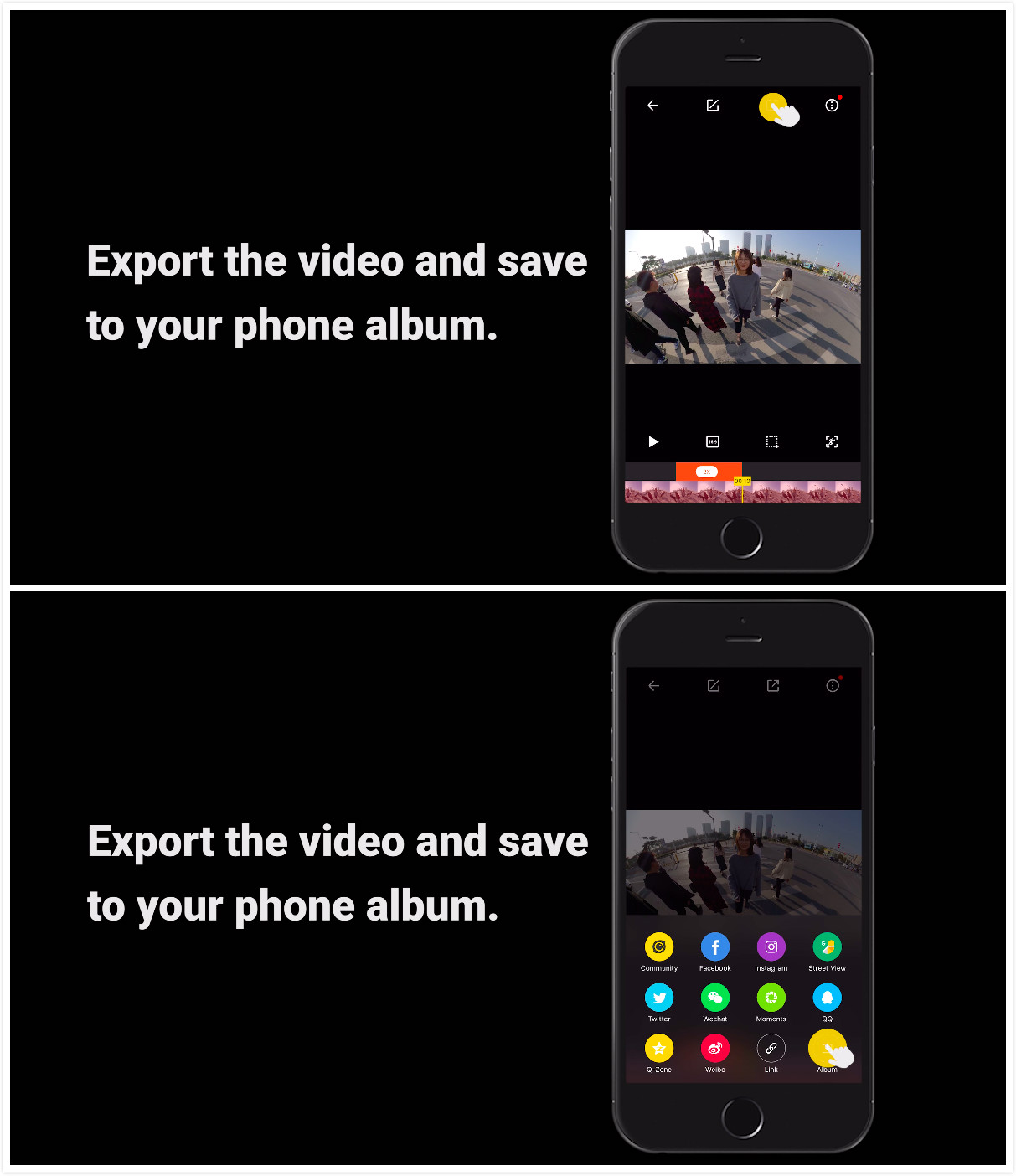
(5)Export the video and save to your phone album.
(6)Import the video into a third-party desktop editing software, then reverse the clip.
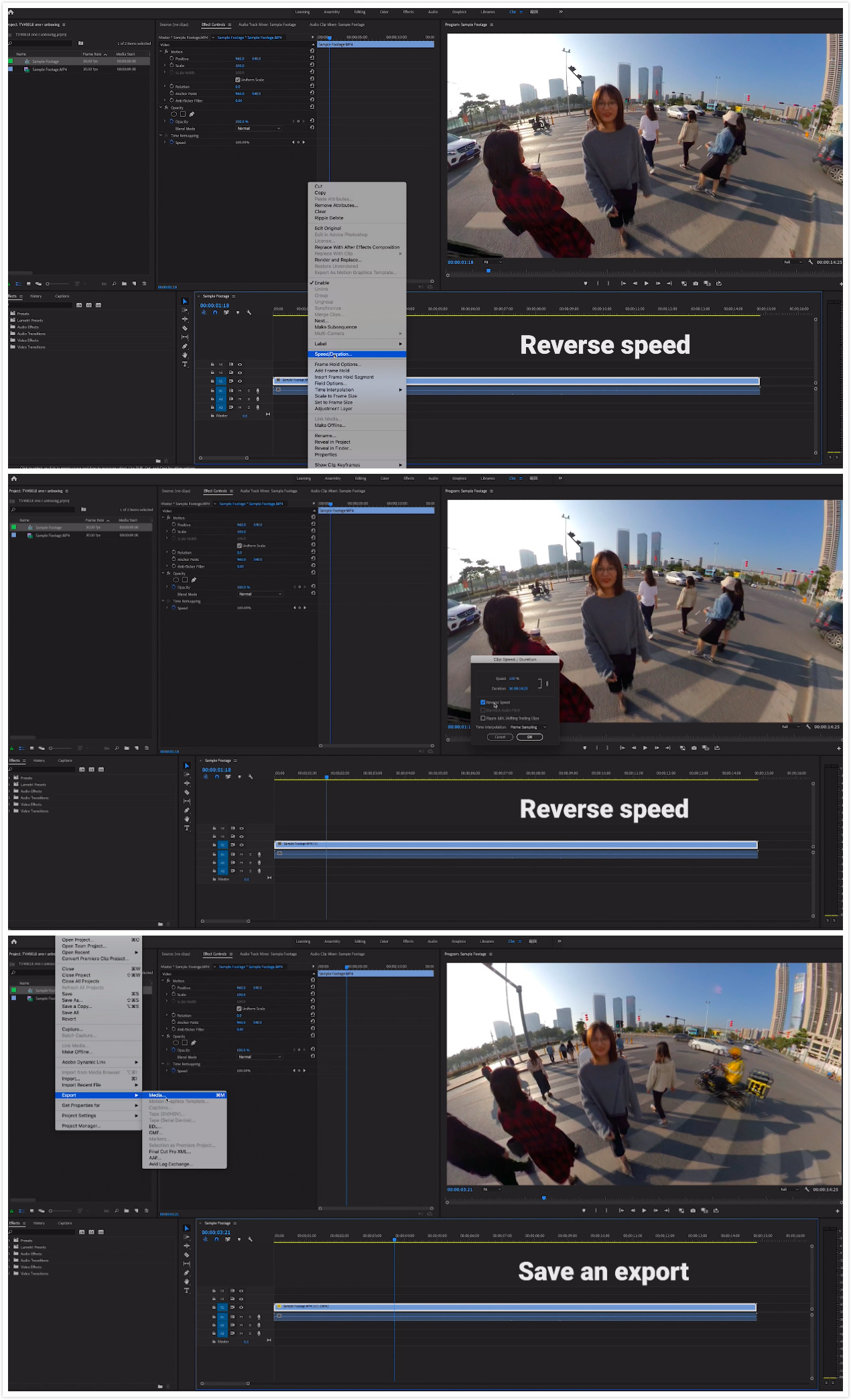
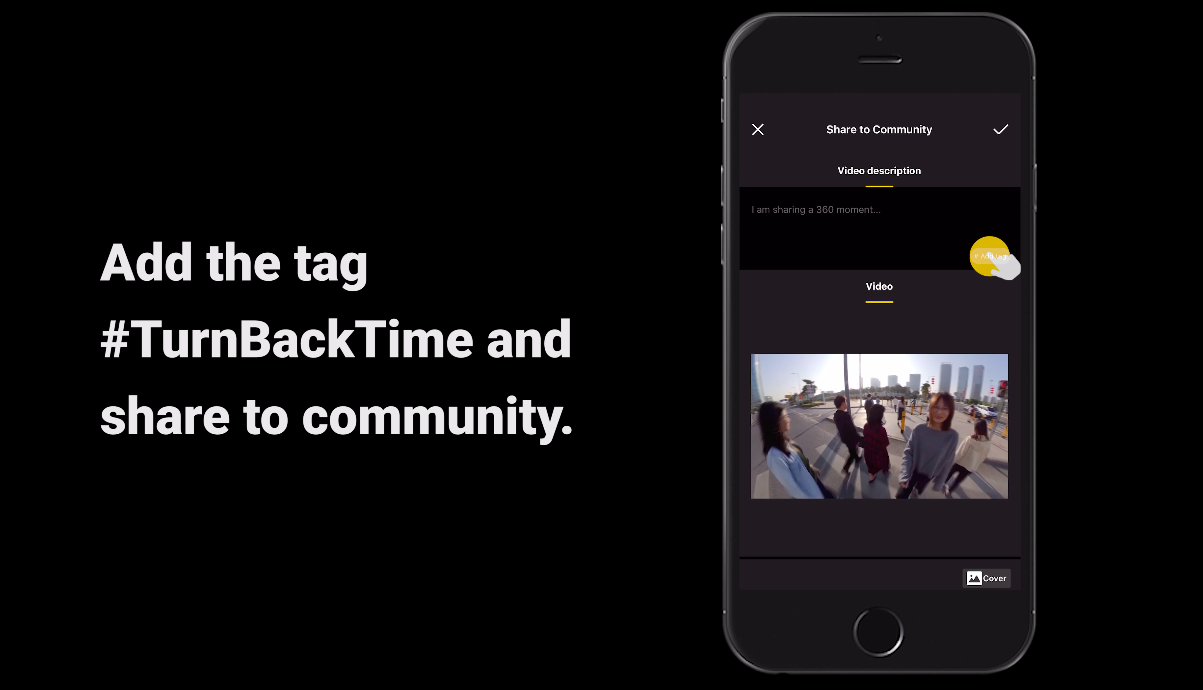
(7)Save and export, add the tag#TurnBackTime and share to the community.
Use your imagination to create more cool shots!
<span style="font-size:14px"><span style="line-height:1.75"><span style="letter-spacing:1px"><strong>Tips</strong></span></span></span>1.Please pay attention to people and objects behind you while shooting and walk carefully.
2.Try calibrating the gyro if you’re experiencing abnormal rotations or shakes while shooting.
Here’s how to learn how to calibrate the gyro.
How to participate:
Log into Insta360 Community via the Insta360 app. Tag your post #TurnBackTime and share.
.svg)

