Connect to Phone
Via Mobile Phone Adapter (USB-C)
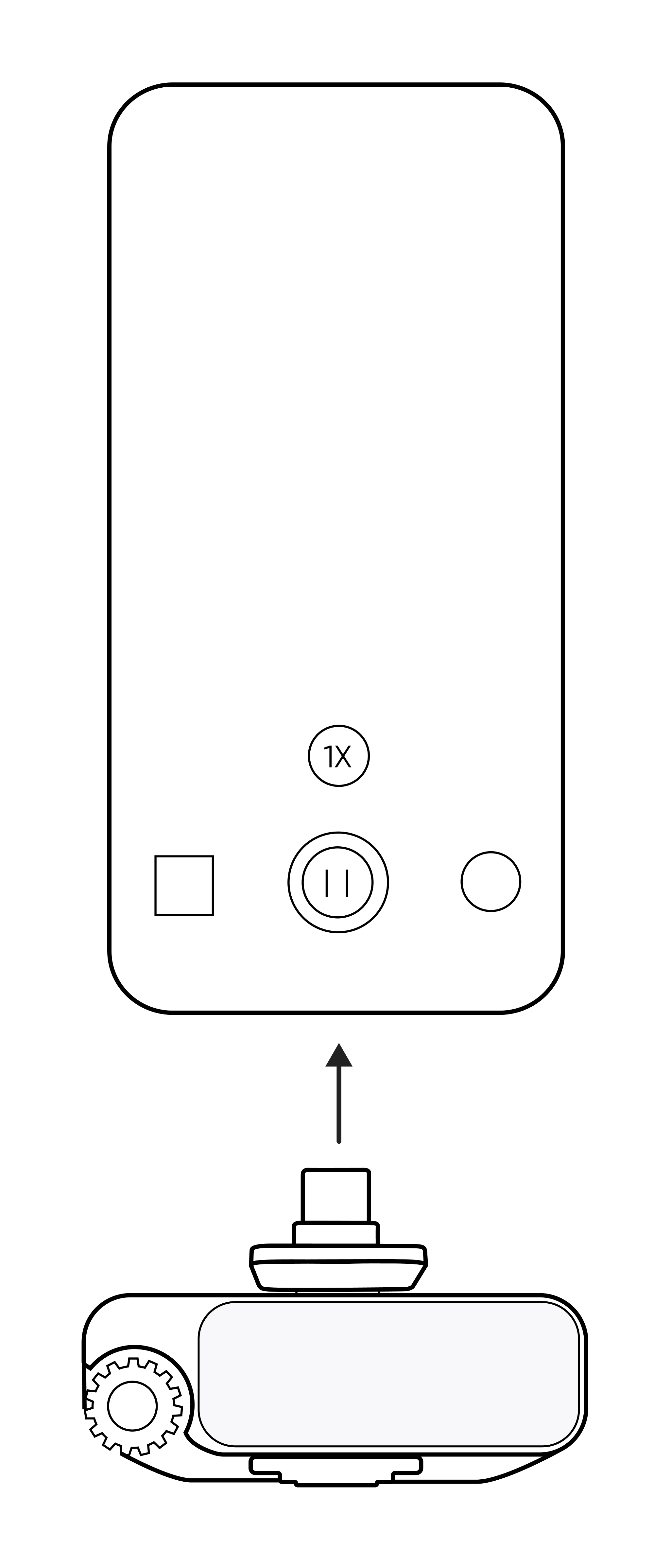
- Install the phone adapter onto the Receiver until it is in place. A successful installation prompt will be displayed on the screen.
- Insert the adapter into the USB-C port of the phone.
- Wireless audio recording can be achieved by attaching the pre-paired Transmitter to clothing using a back clip or magnet.
Quick Operation
Short press the Power Button on the Transmitter to directly control the start/stop of recording. (This function is only applicable to apps that support volume button control for shooting, such as the native camera or compatible third-party shooting apps like the Insta360 app.)
Recommendations for long-duration shooting
It is recommended to use a phone adapter to securely attach the Receiver to the phone:
- When shooting for a long time or during livestreams/broadcasts, use a USB-C charging cable to power the Receiver.
- In this case, the charging cable can simultaneously charge the phone, enabling charging while recording and preventing shooting interruption due to battery depletion.
Note: Mobile Phone Adapter (Lightning), which is sold separately is required for iPhone 14 and earlier models.
Connect directly via Bluetooth
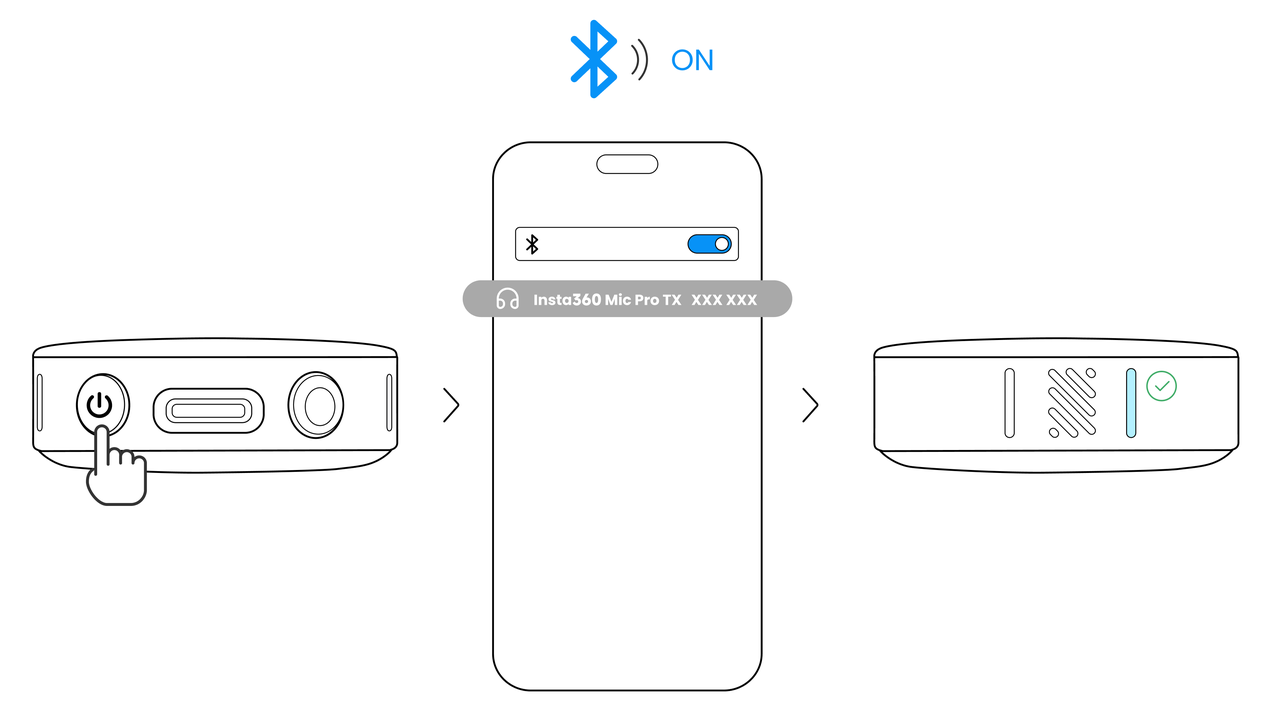
- Turn on Bluetooth on your phone.
- Triple press the Power Button on the Transmitter, the function indicator will flash rapidly, and it will enter Bluetooth Pairing Mode.
- Find and tap the Transmitter name in the phone's Bluetooth list to connect.
- After successful connection, the function indicator light will remain constantly on. At this time, the Transmitter can serve as a sound input device to pick up sound for third-party shooting or LIVE streaming apps (native camera on mobile phone is not supported).
Note: The native camera of mobile phones and some apps have limited support or poor compatibility with Bluetooth microphones, which may result in high background noise or poor audio quality. It is recommended to prioritize using the adapter for better recording quality.


.svg)

