Online Chat
Office Hours: 24/7
Start Chat


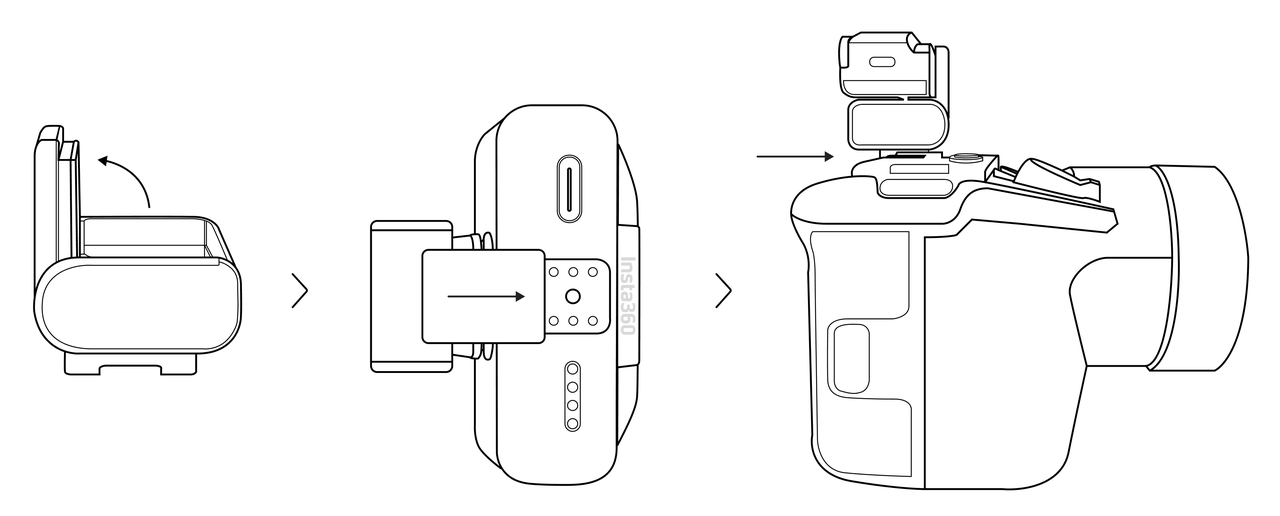
Wireless audio recording can be achieved by mounting the Receiver to the camera hot shoe or body using the back clip and connecting the Receiver to the camera's audio input port with the included 3.5mm TRS cable.
Note: Please ensure that the 3.5mm cable is fully inserted into the audio output interface of the Receiver (marked with a red circle) and the audio input interface of the camera (usually marked with a microphone symbol). Incorrect connection will result in failure to pick up sound.
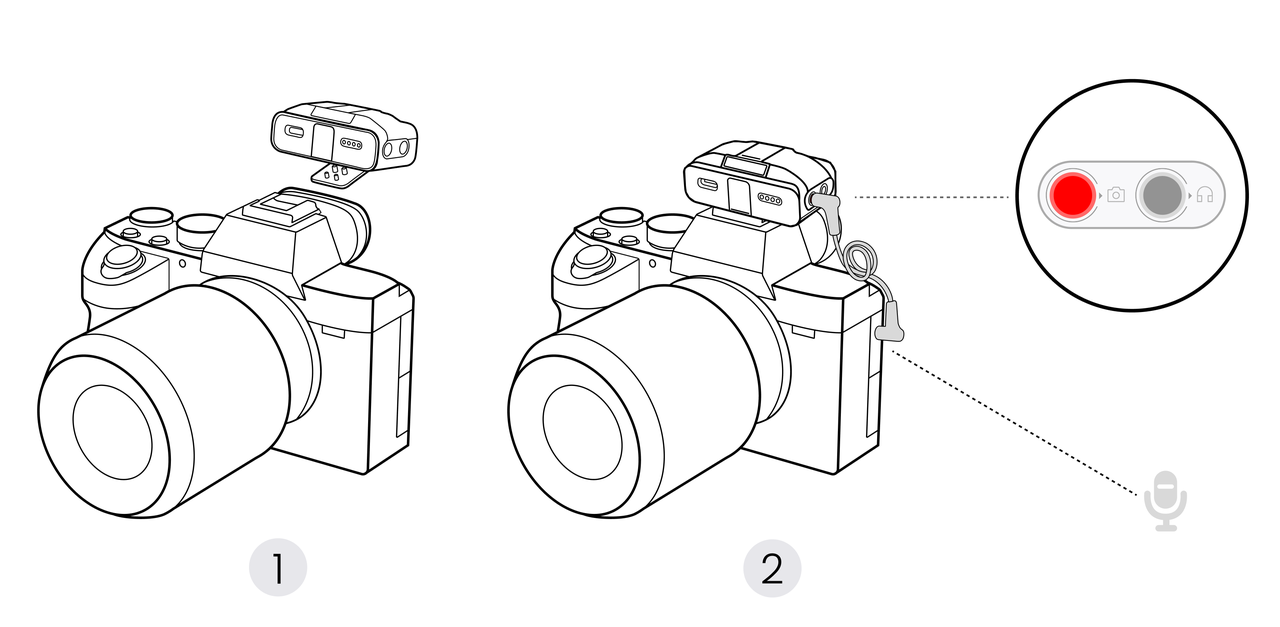
Connects the Receiver directly to a Sony camera's hot shoe, enabling 4-channel audio recording.
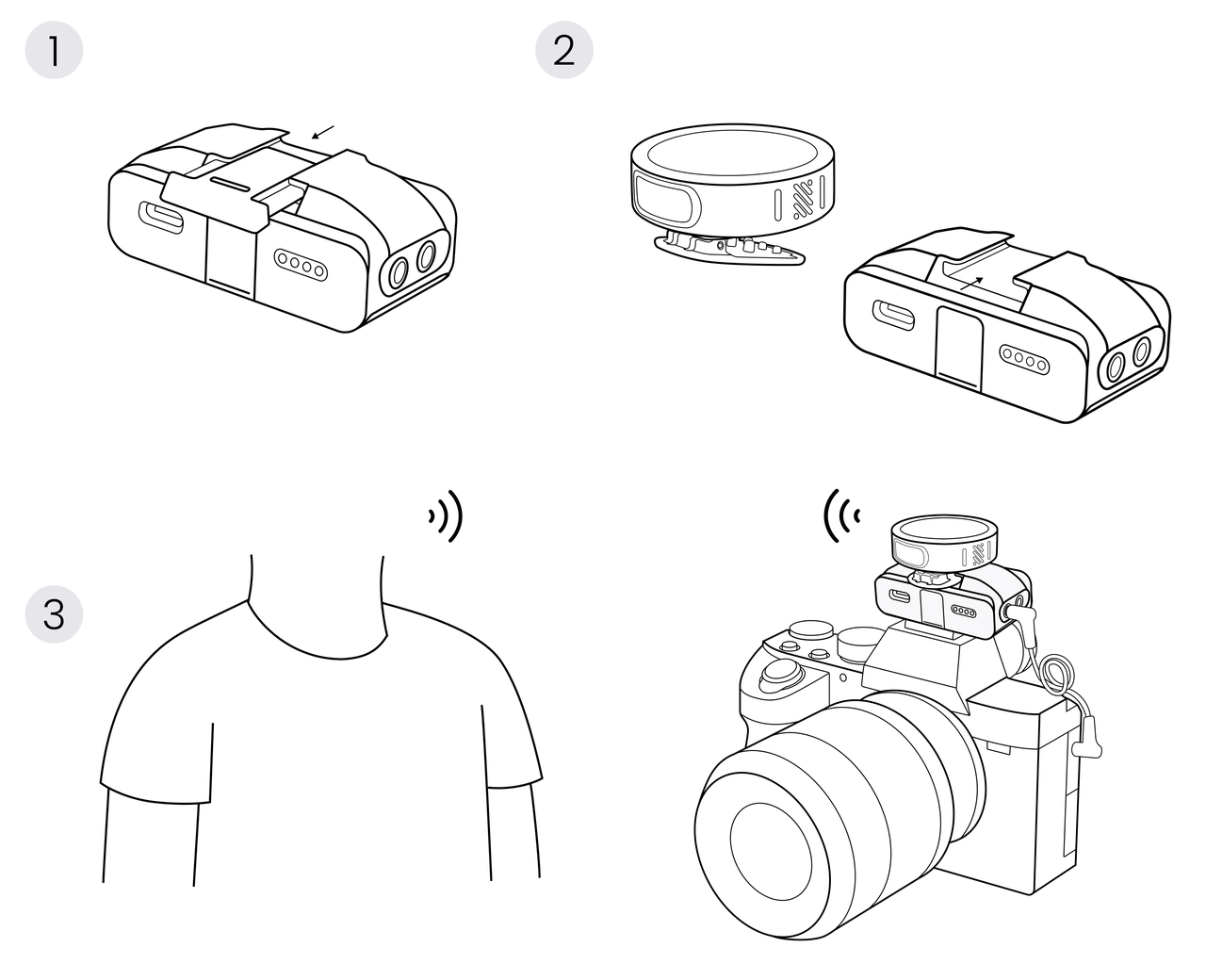
The Transmitter can be directly installed above the Receiver, suitable for scenarios such as solo Vlogs, documentaries, and breaking news that require rapid deployment and high mobility.
The "Sync Camera Power" function is enabled by default. This function allows the Receiver and the camera to automatically synchronize power on/off.
It is mainly applicable to traditional cameras (such as DSLR cameras, mirrorless cameras, etc.) connected via a 3.5mm TRS audio cable.
Slide down on the main interface of the Receiver → Control Center → "RX Settings" → "Sync Camera Power" → "ON".
Note: The camera must be in video mode for this function to work properly.
.svg)

