Online Chat
Office Hours: 24/7
Start Chat


| Steps | Graphics |
| 1. Secure the Magnetic Mount to your screen's edge as shown. 2. Place the camera, ensuring the status LED on top is centered with the screen. 3. Adjust the angle of the mount to keep the camera roughly at body level. 4. Connect the camera to your computer using the included cable. Once successfully connected, the indicator light will turn solid green. |
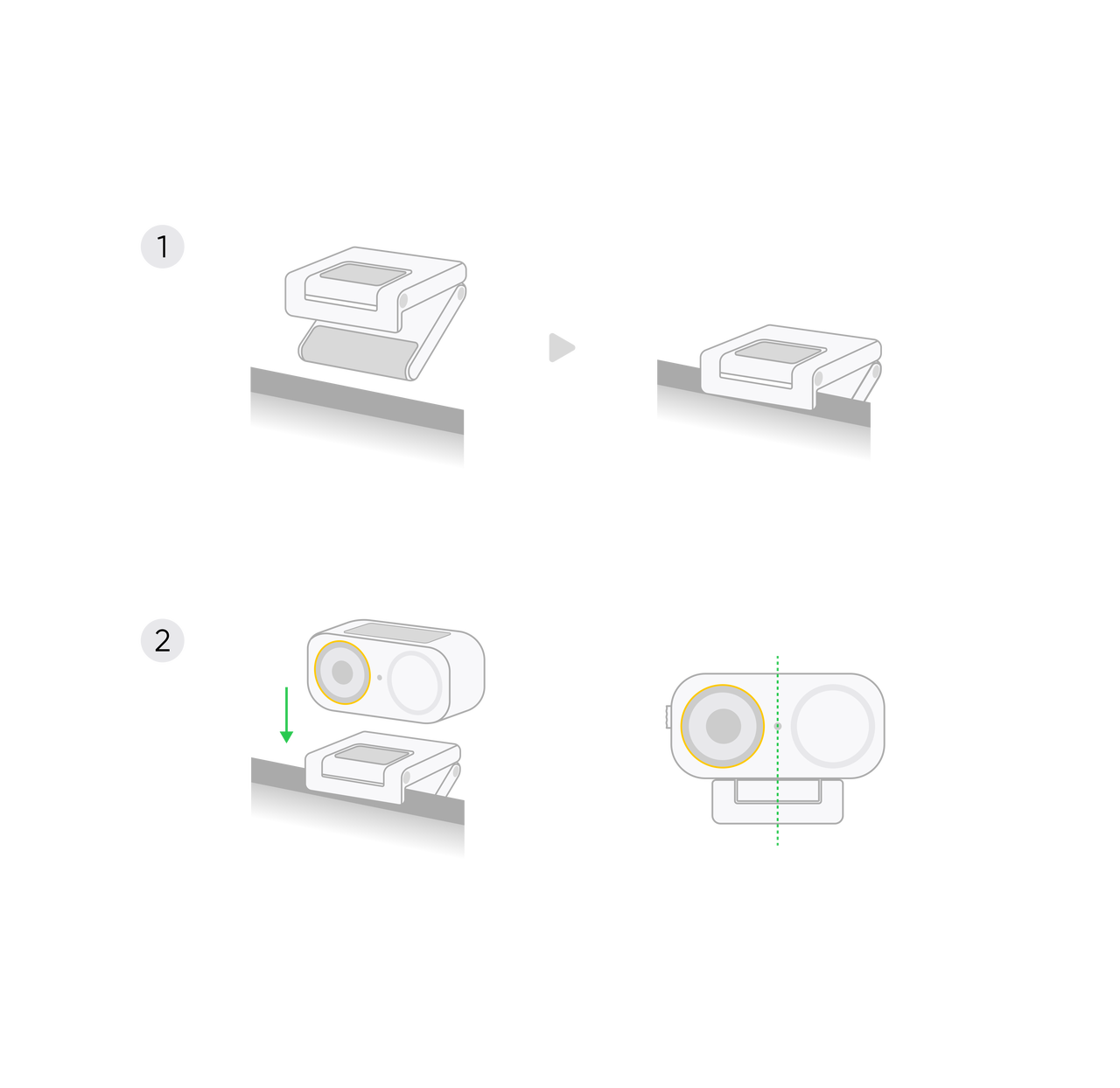 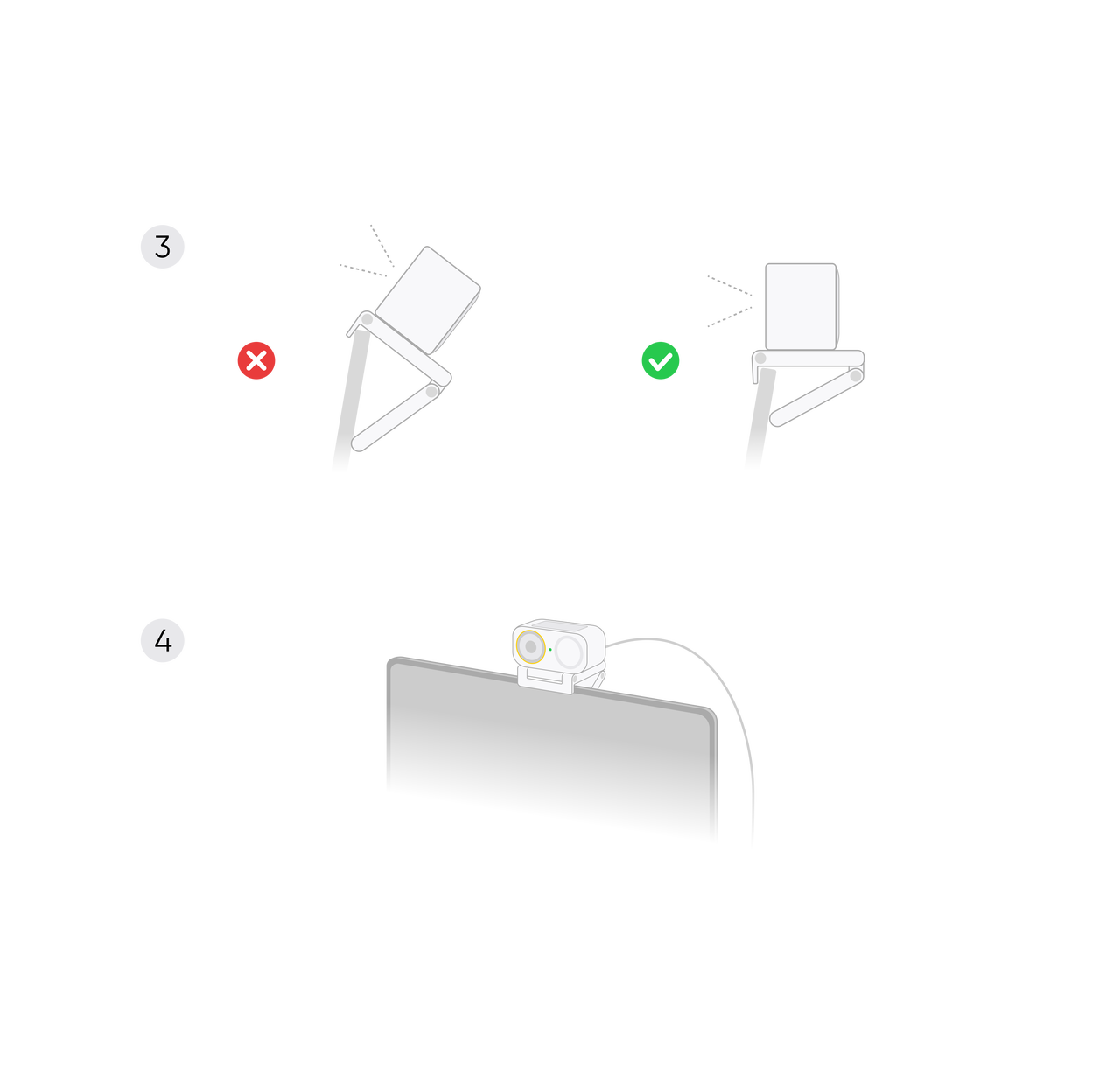 |
| For vertical shooting, a tripod is required. The camera can be mounted on a tripod via the 1/4" screw hole at the bottom of the Magnetic Mount. | 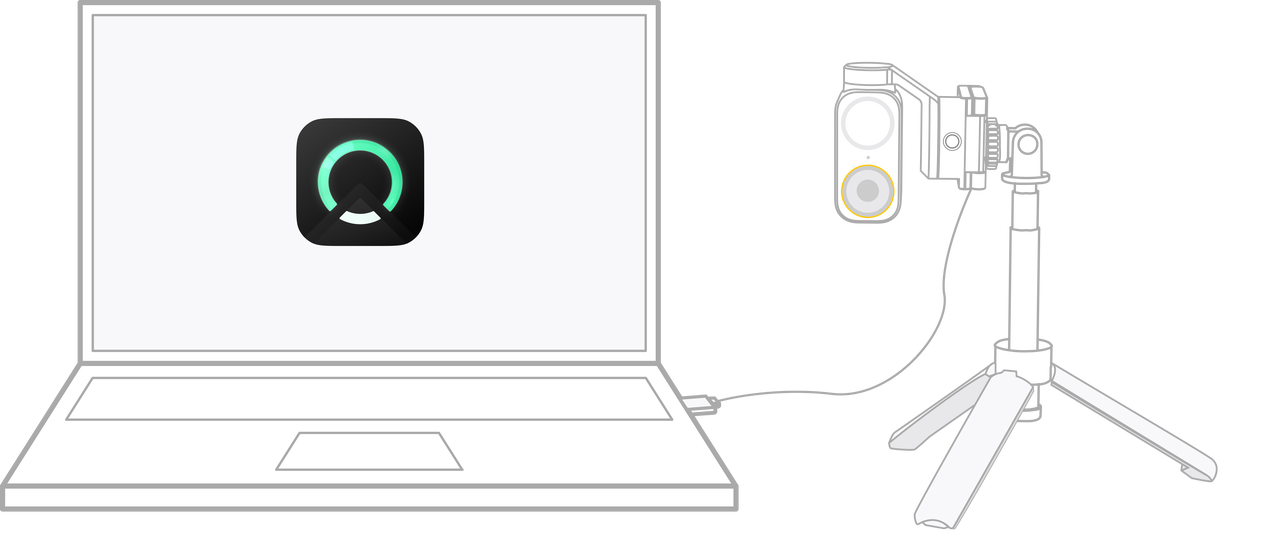 |
.svg)

