DeskView Mode
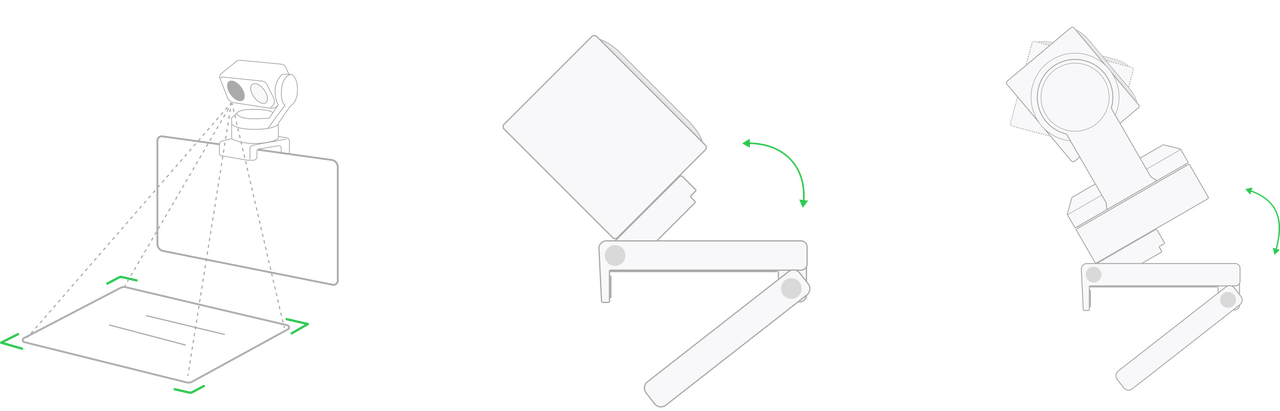
- Click DeskView Mode in the client, and the gimbal will automatically tilt the camera downward.
- Manually adjust the Magnetic Mount until an ideal overhead angle is achieved.
*You can further adjust the mount manually to get the best angle.
Link 2 Pro achieves DeskView Mode by adjusting the gimbal angle.
Link 2C Pro achieves DeskView Mode by manually adjusting the mount and fine-tuning the angle via the Link Controller.
Tips:
- In DeskView Mode, virtual background features (including Background Blur, Bokeh, Background Replacement, and Green Screen Keying) will be temporarily disabled.
- If the device fails to enter DeskView Mode, try tilting the device forward and try again.


.svg)

