Online Chat
Office Hours: 24/7
Start Chat


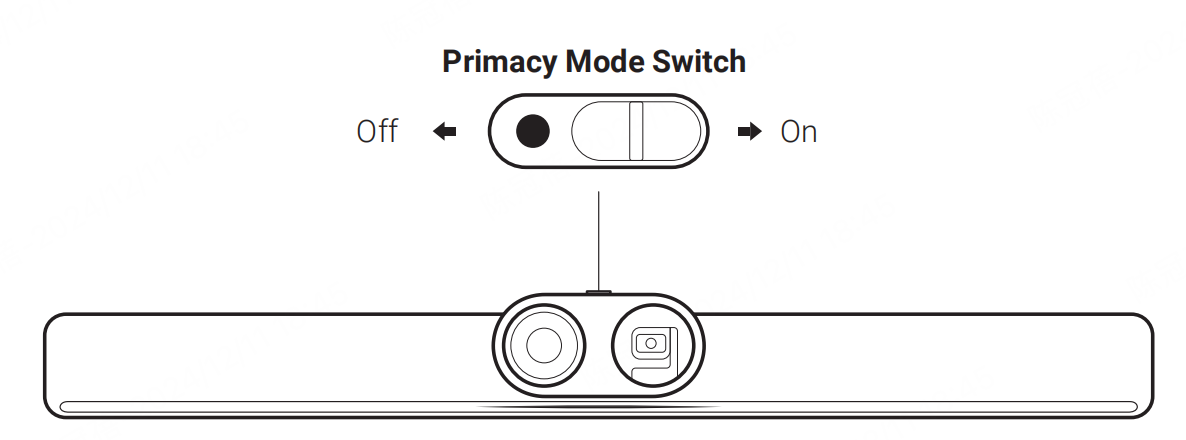
• Turn On: Slide the switch to the right to turn Privacy Mode on. The red indication mark should be visible. This conceals the wide-angle lens, faces the gimbal camera down, and mutes the microphone.
Note: When Privacy Mode is on, neither the Remote Control nor the Touch Panel can turn on Insta360 Connect's video or audio.
• Turn Off: Slide the switch to the left to turn Privacy Mode off. The red indication mark should be invisible. The camera and microphone will be on and ready for use.
