Find Your Serial Number
The camera's serial number is a unique code that can be used to quickly identify your camera, for example, if you need to submit a repair request. You can find the camera serial number in the following ways:
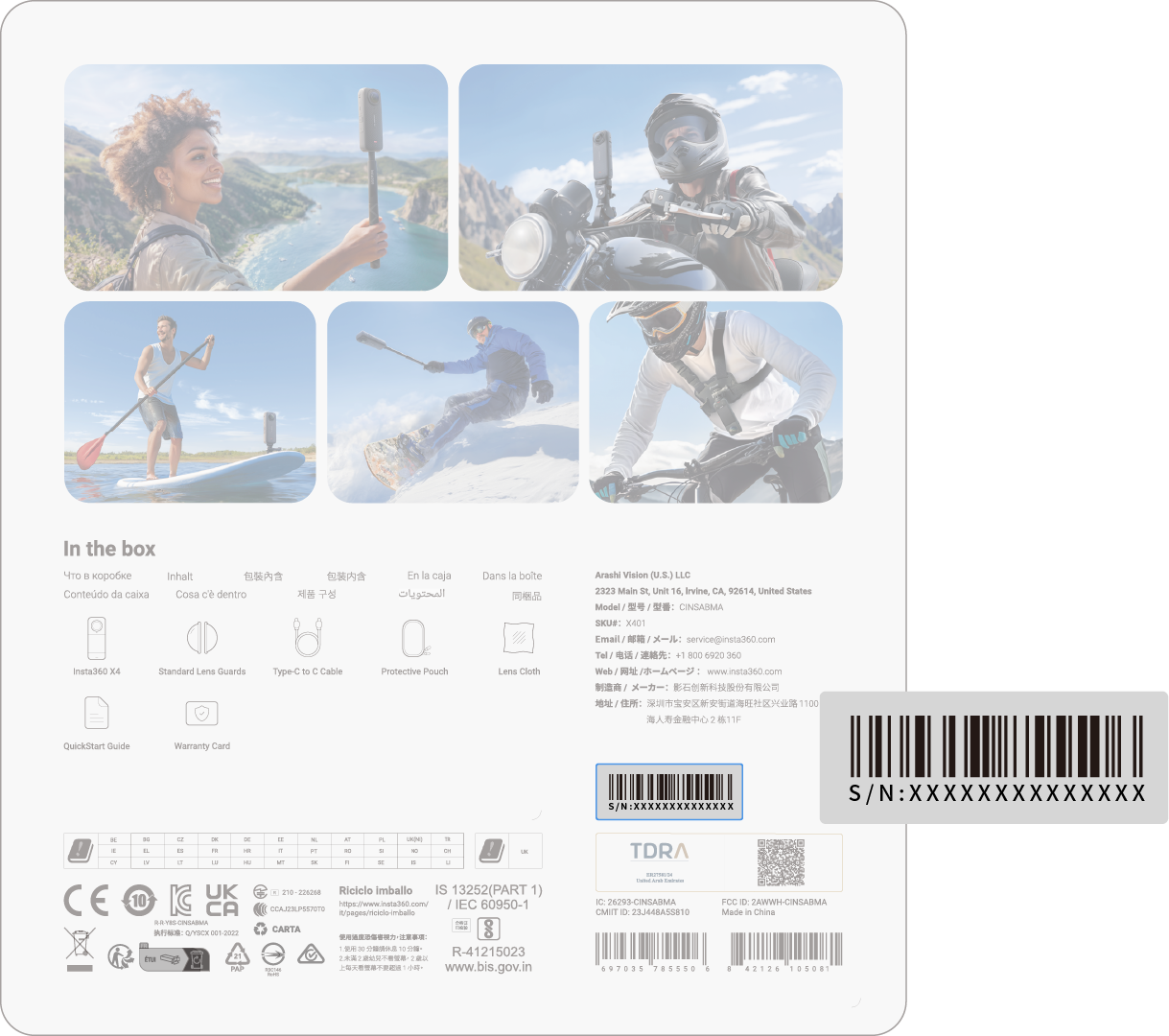
1: Product Box
The camera's serial number is on the back of the original product box.
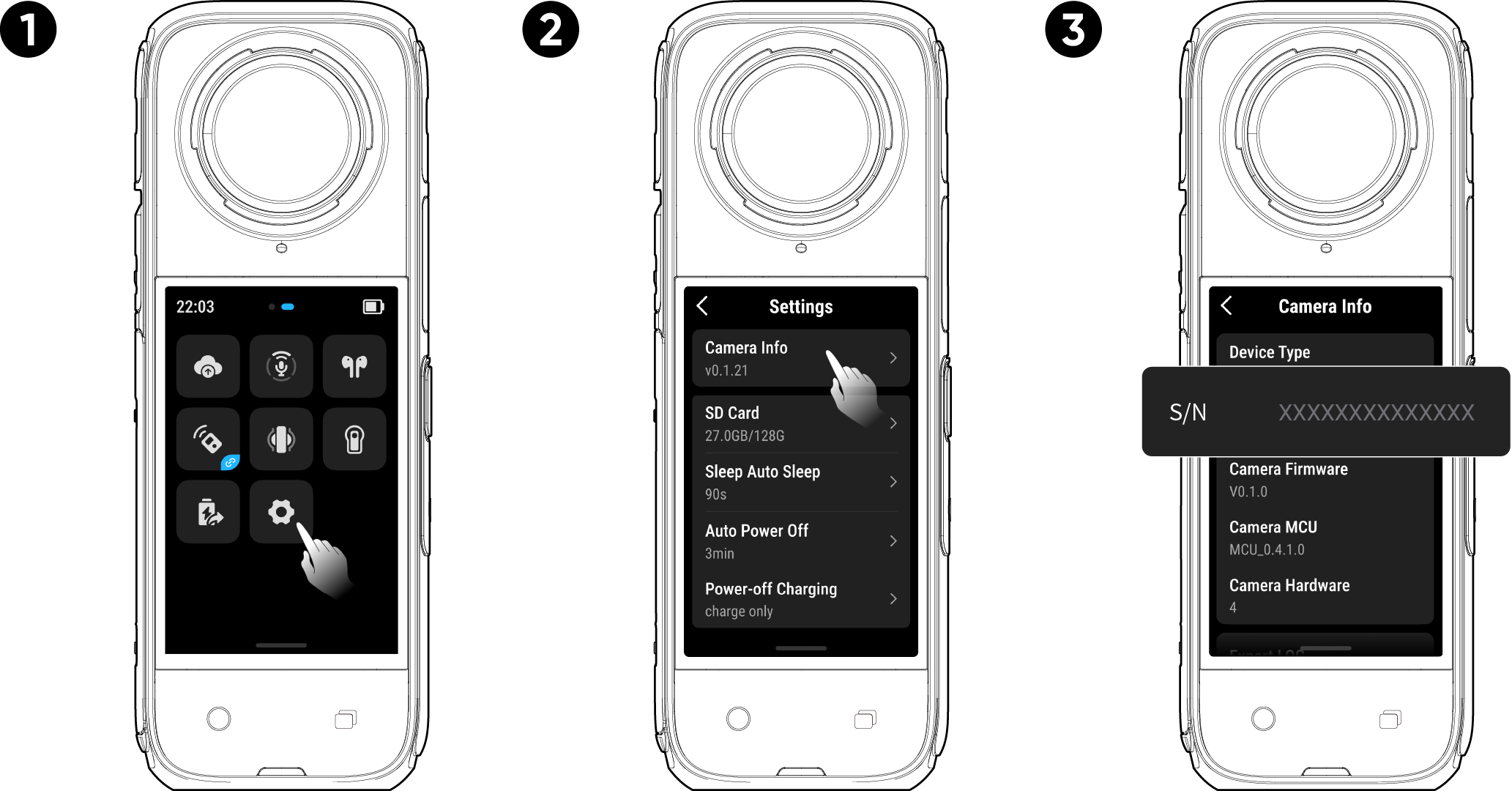
2: Camera settings
- Power on your camera.
- Swipe down on the touchscreen to access the Shortcut Menu, then go to [Settings] > [Camera Info] to view the serial number.
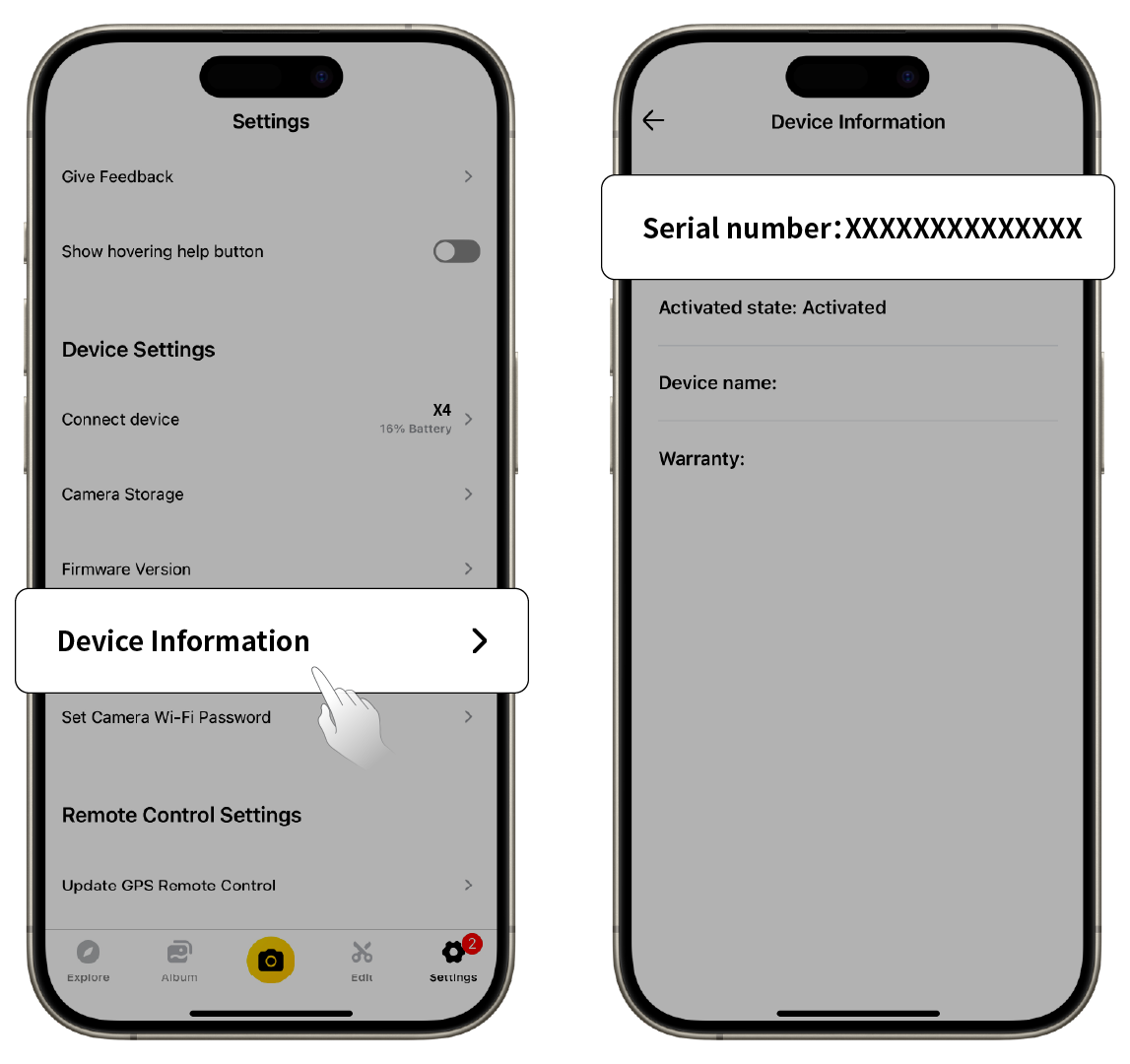
3: Insta360 App
- Connect your camera to the Insta360 app.
- Enter app Settings > [Device Information] to view the serial number.
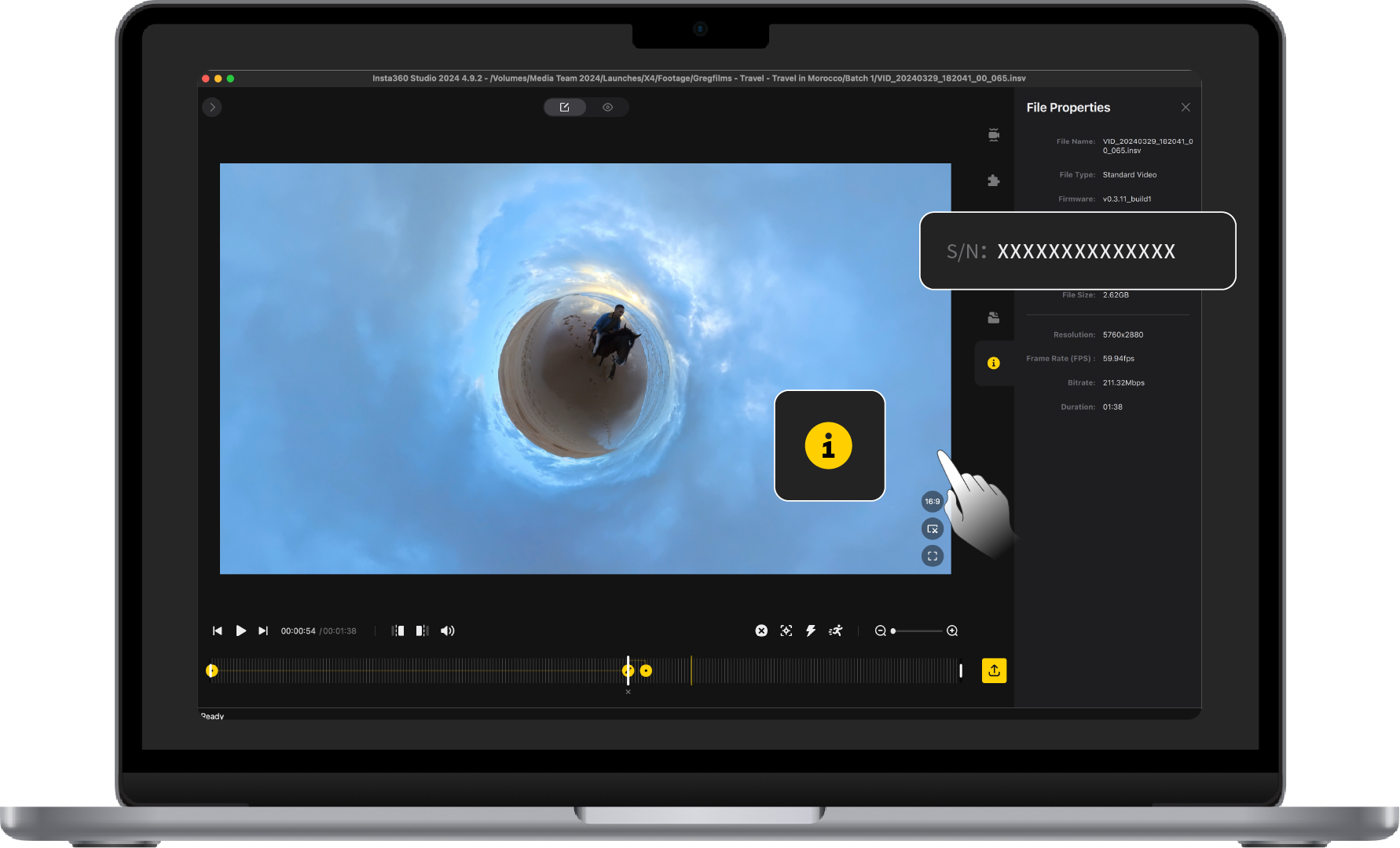
4: Insta360 Studio
- Launch Insta360 Studio on your computer and import any footage recorded by the camera.
- Select the footage and click the info icon on the right side of your screen to access File Properties and view the serial number.


.svg)

