Via the GO App:
- Connect to your phone via the Charge Case or via Bluetooth (How do I connect via Bluetooth?)
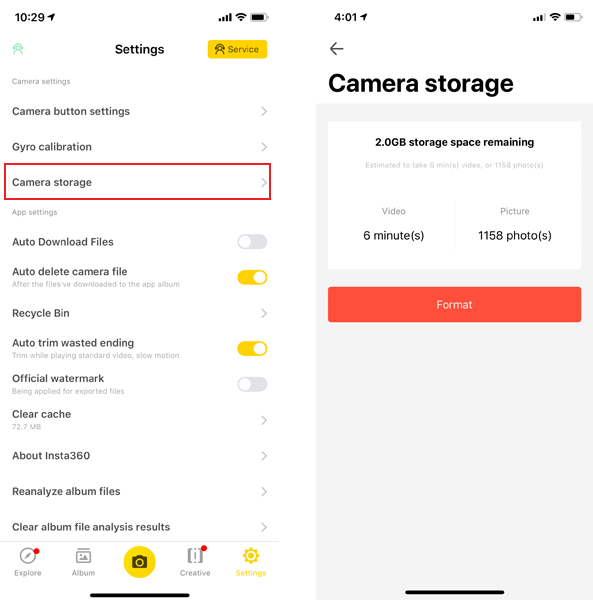
- Open the GO app, enter Settings -> Select camera storage-> tap "Format"
 Via a Windows computer:
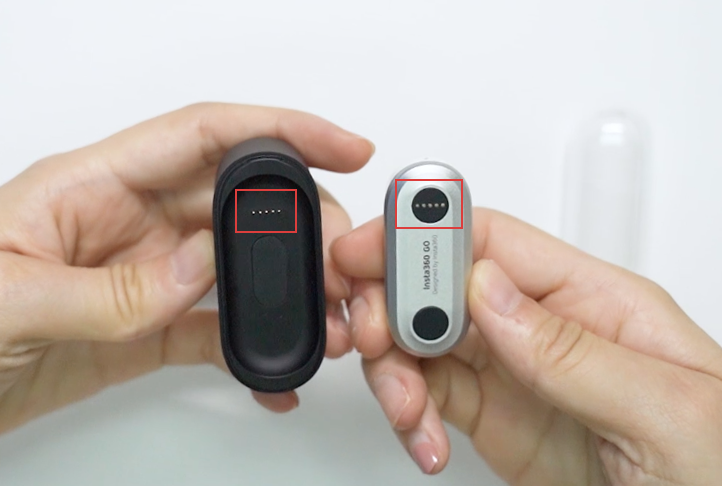
- Place GO into Charge Case, align the charging points of the camera and Charge Case.
- Connect to your computer via USB.
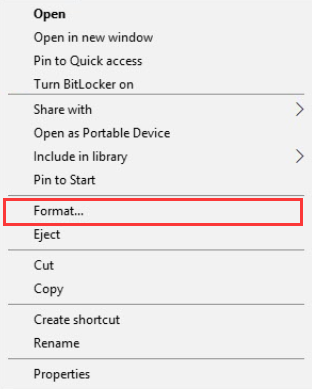
- Click 'My Computer' -> right click 'Removable disk' -> click 'Format'
- Select 'FAT32' in File system, '128 kilobytes' in Allocation unit size -> click 'Start' to format.
Via a Mac computer:
- Place GO into Charge Case, align the charging points of the camera and Charge Case.
- Connect to your computer via USB.
- Run 'Disk Utility' applications on mac -> select GO disk -> click 'Erase'.
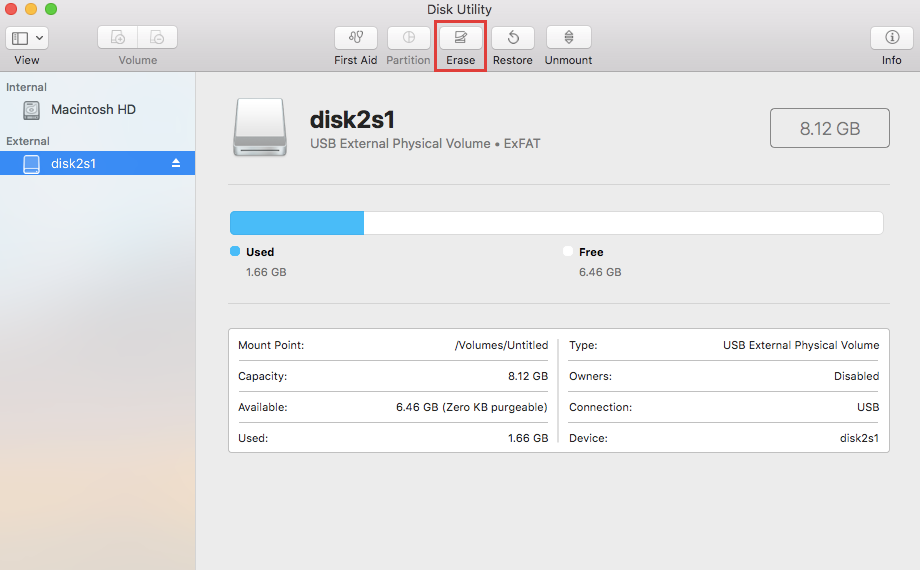
- Select 'FAT32' in File system to erase.

Online Chat
Office Hours: 24/7
Start Chat

