Online Chat
Office Hours: 24/7
Start Chat


1.Connect EVO with your phone.(How do I connect it?)
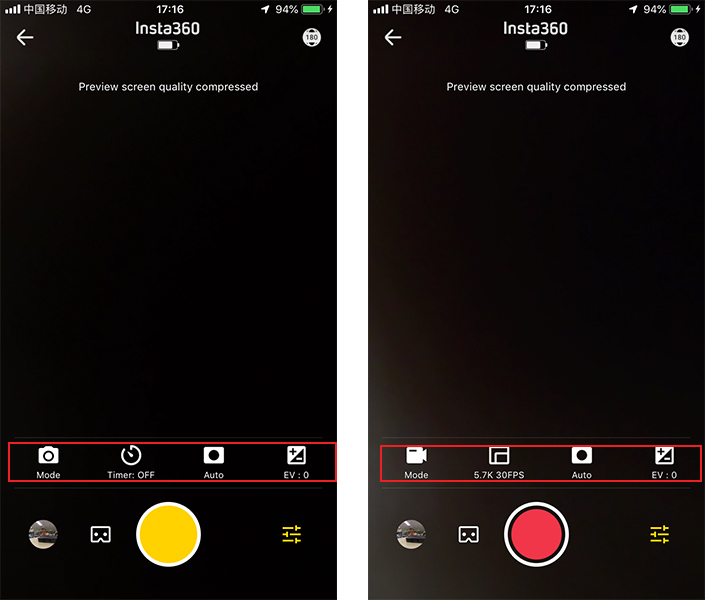
2.Open the EVO App and enter the camera interface. Tap settings in the lower right corner to adjust the shooting mode and parameters. In photo mode, you can choose single photo, HDR photo and Interval photo. In video mode, you can choose normal video, HDR video and Time-lapse video. Then, you can adjust the parameters as you please.
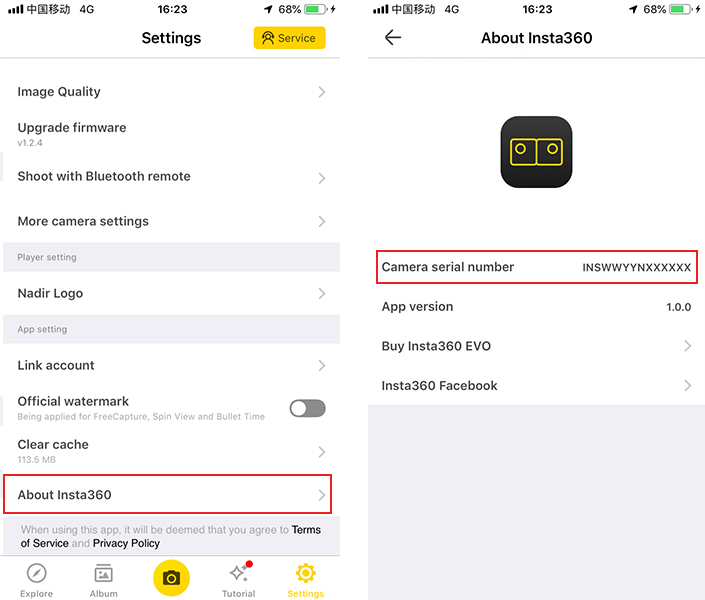
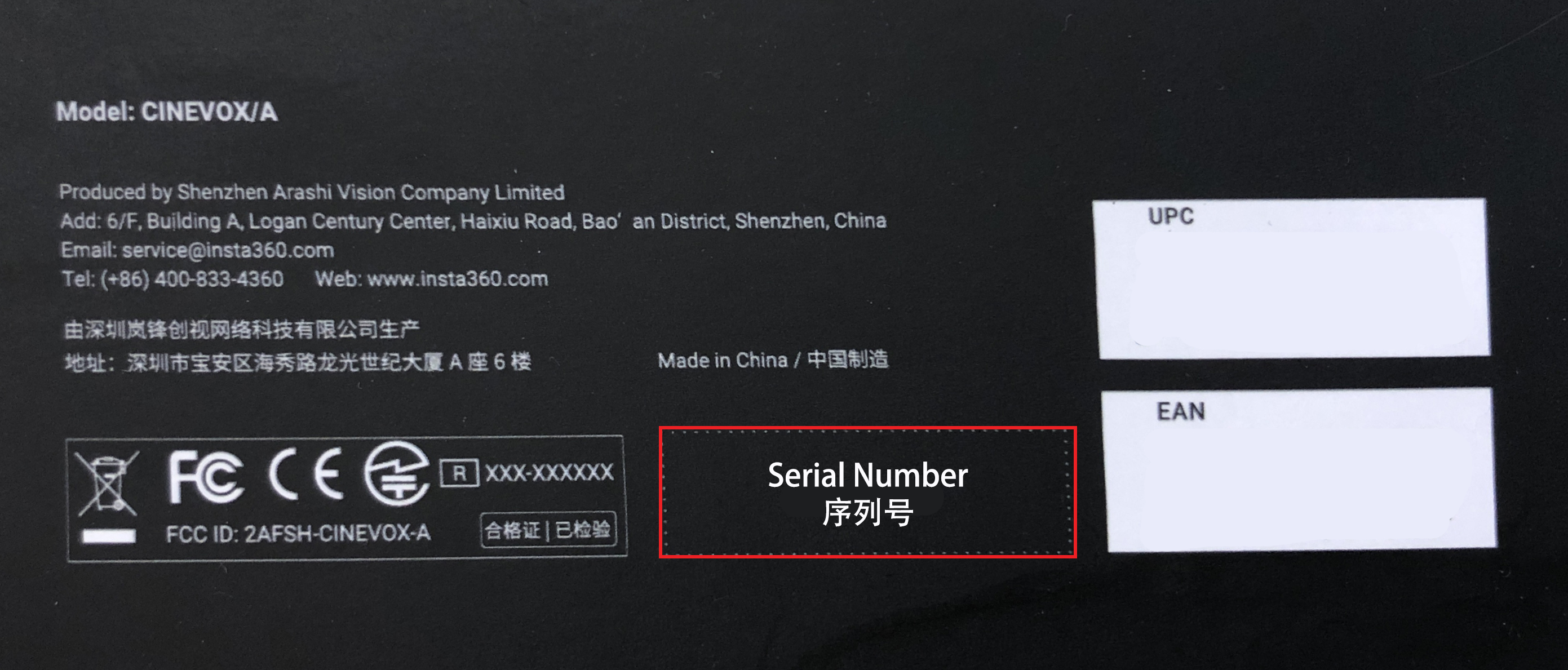 2. 2) Alternatively, connect EVO to your phone(How do I connect it?), open Evo App-enter Settings-About Insta360 to check the serial number of your Evo
If the LED is blinking blue, there may be an issue regarding the MicroSD card. Please check if your MicroSD card is inserted in your EVO. Alternatively, the SD card storage may be full or the format of the SD card may be wrong. If you do not have an SD card inserted, the blue blinking light indicates ordinary status.
Use Time
When the battery is fully charged, the EVO lasts roughly 65 mins while shooting 5.7K video.
Charging Time
While turned off, the charging time is 90 mins with a 5V 2A charger.
1.Press and hold the round button on the top of the camera for 3 seconds to turn on the camera.
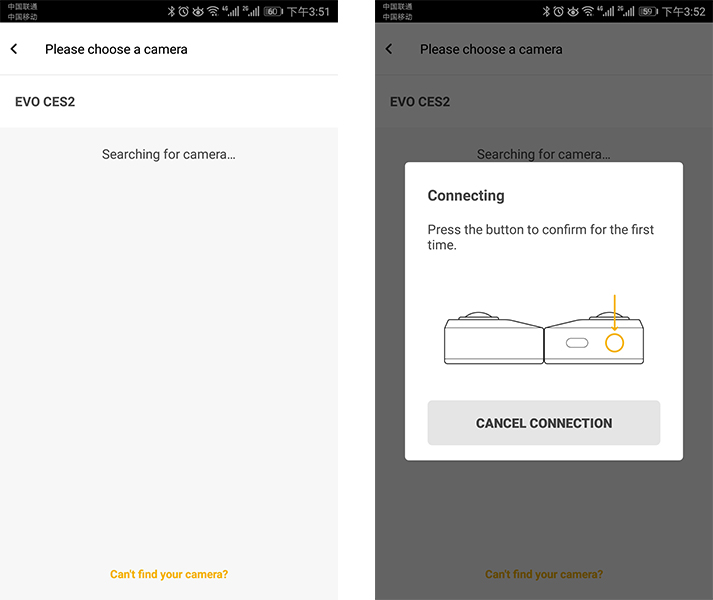
2.Enter the EVO app, tap the camera icon at the bottom of the screen and select "Connect via WiFi". Then, follow the on-screen instructions to connect your device. (The name of the camera is "EVO**” by default, where ** is the last six digits of the camera's serial number, you can find the serial number on the box the EVO came in). The first time you connect to the camera via WiFi, press the round button on the top of the camera to confirm your connection.
3.Select your current region, follow the on-screen instructions to go to the WiFi settings on your phone. Select EVO’s WiFi and enter the password (password is 12345678 by default).
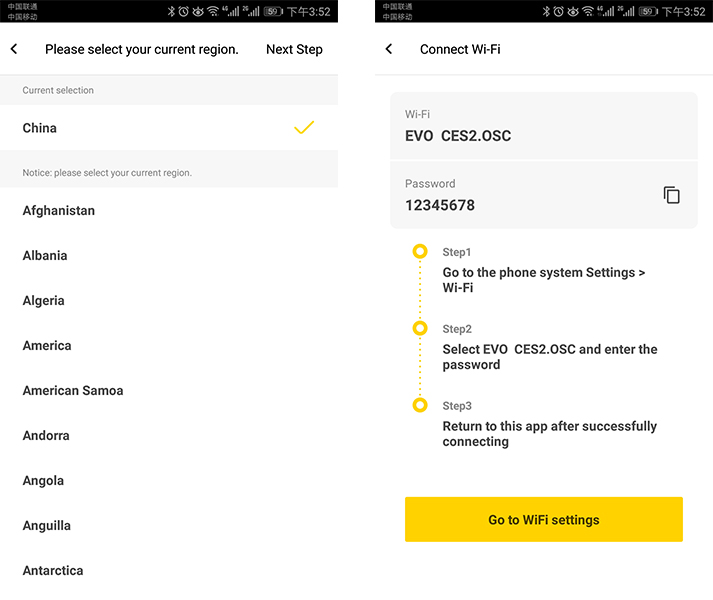
4.Return to the EVO App. Follow the instructions to go to your WiFi settings to connect.
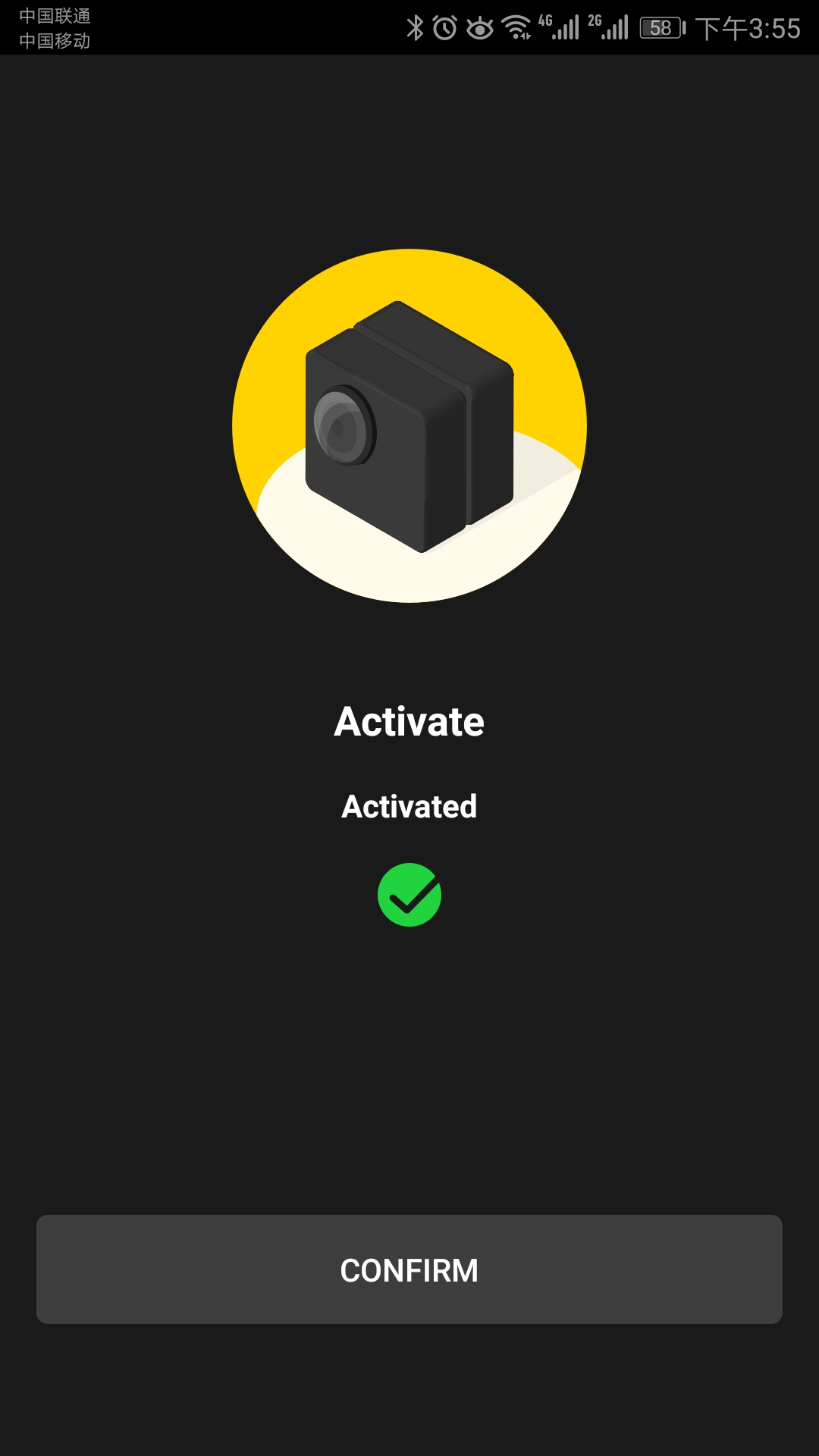
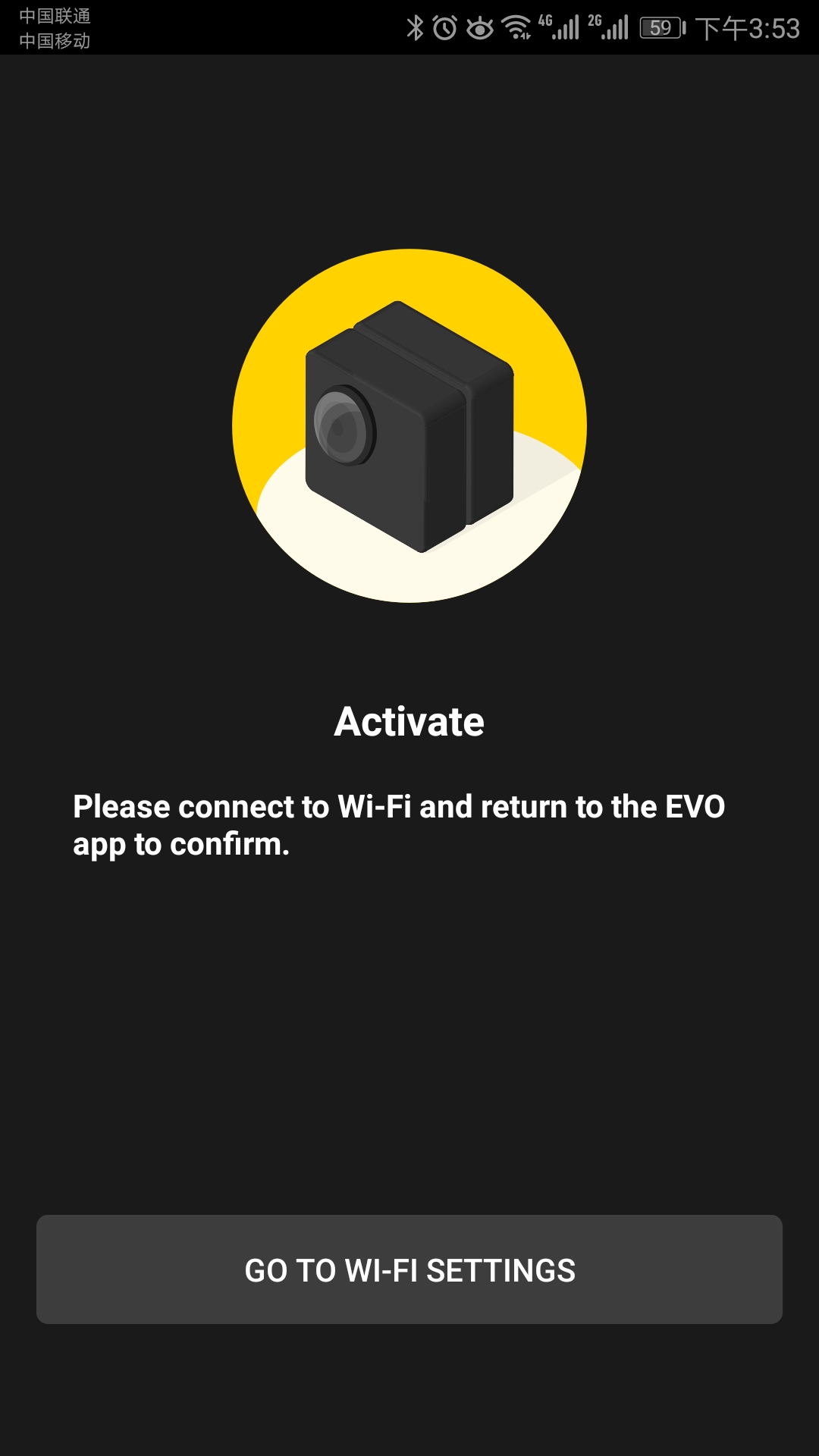 5. Return to the EVO App, tap 'Activate'. After your camera is activated, connect to your EVO’s WiFi again, then you can take photos or shoot videos via the app.
| Camera Status | Status Indicator |
|---|---|
Method 1: Via VR glasses
1.Enter EVO App->Open Album->Open the video that you want to watch.
2.Tap the button at low right corner to turn on VR mode.
3.Place your phone into the VR glasses and watch.
.png)
.PNG) Methord 2: Via VR All-in-one Headset
Methord 2: Via VR All-in-one HeadsetPlease click here to contact us for further support.
.svg)

