Stitching Calibration Tutorial
- Open the EVO App, connect EVO to your phone(How do I connect it?), Tap Settings->More camera settings->360 Stitching Calibration.
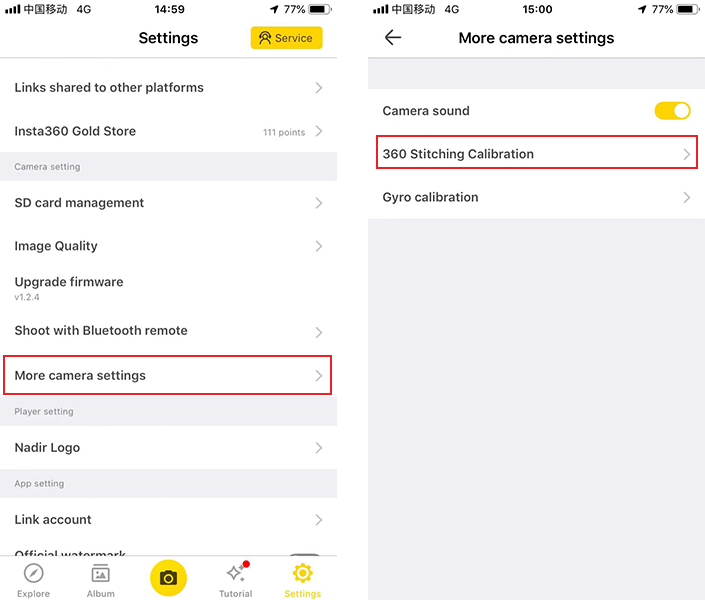
- Please place the device horizontally, and follow the instructions to rotate your camera in 90° turns.
Please click here to contact us for further support.


.svg)

