Search your question
English
简体中文
English
日本語
Deutsch
Français
Español
한국어
Italiano
Русский
Insta360 Ace Pro 2 Support
United States
/
Global
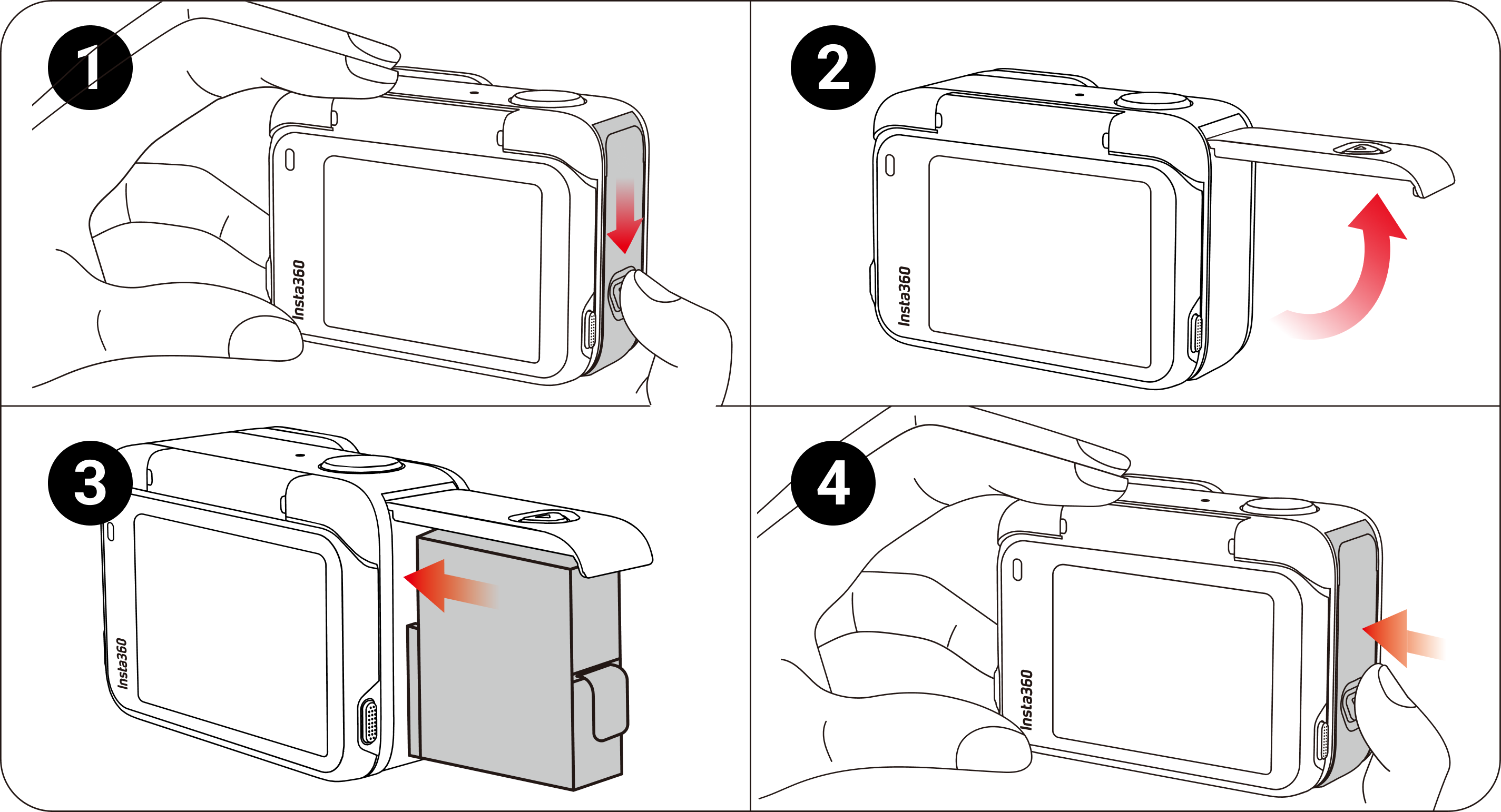
Insert the Battery
Press and hold the latch of the Battery Cover and slide it downwards.
When you see the yellow indication mark, open the cover outward.
Insert the battery in the direction indicated on the battery.
Close the cover and ensure the yellow indication mark is completely covered to ensure waterproofing is not affected.
Was this information helpful?
Online Chat
Office Hours: 24/7
Start Chat


.svg)

